WoW Slash Commands – 66 You Need to Know!

Table of Contents
WoW Slash commands are really an essential part of playing World of Warcraft. I think you would struggle to get anywhere in the game with out knowing the bassic commands and you will miss an exciting aspect of the game not learning about them.
World of Warcraft Slash commands or Console Commands as some call them can really enhance your character and make it really personal to you. By WoW Key Binding to WoW Slash commands and using them in combination with WoW Emotes, WoW Shortcut Keys and WoW Combat Commands you really can stand out in your party or raid.
They can save you time on certain repeatable task but have a limit as they can not be used to create full automation tasks, meaning you can’t use them to repeat tasks for farming mobs or collectables. Automation was banned by Blizzard due to Botting as this is viewed as cheating… Well technically having a script run your character while you pop off to the shopd is not really playing so is cheating.
How to Open the Command or Console Interface
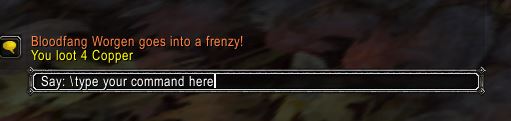
To type one of the slash commands direct into the interface you can use the General Console Tab and click on the chat bar. This is the defualt bar where you would normaly type things to say, you can either press “Enter” or click into the window to start this process.
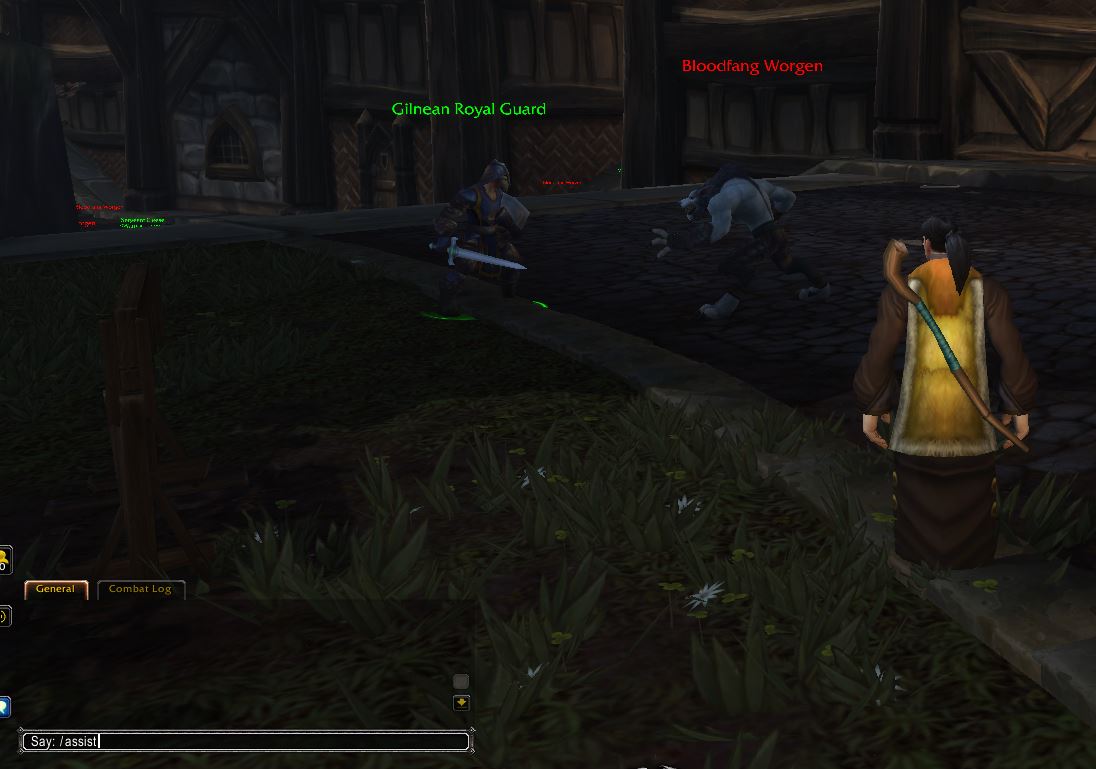
Here is an example of using the \assist command. By targeting the friendly NPC (shown as the Green aura and Green Cirlce around their feet) and typing into the WoW Commands console you will switch to the same target they are fighting and you can now attack this target and assist them in battle.
To make the assist process even easyer you could just use the F key from the WoW Bindings list or create a simple script and map that to your own icon to have on your shortcut bar. This is just an example to help you start to understand the interface.
WoW Slash Commands can be used within the game via the Key Bindings console. You can access this by typing /macro into the console.

Here i have created a quick Macro to assist my target, “Cast Shadow Word: Pain” and then start melee attack ready for then my target approaches me and gets into range.
- /assist
- /cast Shadow Word: Pain
- /startattack
Select the flaming skull icon and drag onto your shortcuts bar. You now have 3 actions on one click. After using your new macro you can now start spamming smite until your target falls… Or you die.. Or run away to the guards
World of WarCraft Slash commands can be used together in all sorts of ways to help you in battle or even when you are crafting. The only limitation is your imagination and as your here i assume you have that in plenty. Try adding some WoW Emotes into your Macro list like this, there are over 200 Emotes in World of WarCraft with some of them being extremely funny joke emotes.
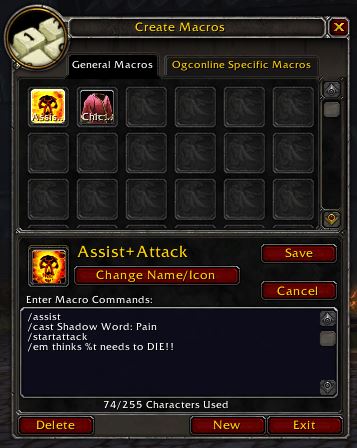
- /assist
- /cast Shadow Word: Pain
- /startattack
- /em thinks %t needs to DIE!!

66 WoW Slash Commands
| Command | Action |
|---|---|
| /assist [player name] /assist %t | Assist your currently selected target, or target [player name] if specified. |
| /bind | Gives your current bind location. |
| /bug | Submit a bug report. |
| /calendar | Opens the Calendar |
| /camp /logout | Logs out with a 20 second timer. Safe Exit |
| /cancelaura | Turns off your current aura you may have on |
| /cancelform | Cancels your current shapeshift |
| /cancelqueuedspell /cqs | Cancels casting of currently queued spell |
| /cast | Allows you to cast spells by name. Type /cast (spell subtext) |
| /castglyph | Enables a Glyph |
| /castrandom /userandom | Casts a random spell from a list |
| /castsequence | Casts spells from a list in order |
| /changeactionbar | Changes action bar page |
| /click | Same as clicking left mouse button |
| /combatlog | Toggle logging of your Combat Log into (wow folder)\Logs\PlayerCombatLog.txt. |
| /console | Opens console window to allow use of advanced commands |
| /console [command] | For performing some game console commands, such as "gxrestart", "reloadui" and "quit". |
| /console settingname [newsetting] | For tweaking of game settings. |
| /disableaddons | Disables Add-on and reloads UI |
| /duel [player name] | Request a duel with your target, or target player if specified. |
| /dump | Variable dump information |
| /eventtrace /etrace | In-game event tracer |
| /exit | Exit the game |
| /follow /f | follows a player even if they are not in your group |
| /forfeit /yield /concede | You forfeit the current duel |
| /framestack /fstack | Enables all frames |
| /friend [player name] | Add a player to your friends list |
| /guildfinder /gf | Opens Guild finder options |
| /h /help /? | Opens the basic command list |
| /ignore [player name] | Put someone on your ignore list |
| /inspect /ins | Inspect the target player to see his equipment. |
| /invite [player Name] | Invite player to your group |
| /lfg /lfd /df /dungeonfinder | Looking for a Group Window |
| /lfr /raidbrowser /rb /otherraids | Looking for a Raid Window |
| /logout | Logout with the 20 second sit count down. Ensures a safe save of location and items |
| /macro /m | Opens the macro interface |
| /macrohelp | Gives basic help on making macros. |
| /macrohelp | Opens the basic macro commands list |
| /note [message] | Submit a message. |
| /played | Lets you know how long you have been playing. Ekkk |
| /pvp | Sets your character to PVP mode |
| /quit /exit | Quick exit of the game. Only use in safe areas |
| /random /rand /rnd /roll [number] [number2] | Roll a random number between the 2 numbers specified |
| /reload | Reloads the UI |
| /remfriend [player name] | Remove a friend from your friends list. |
| /roundrobin | Sets loot so everyone in the group gets a loot one at a time |
| /script LUA-command | For UI creators. |
| /script /run | Runs a block of LUA code |
| /sit | You sit |
| /split [G S C] | Splits specified money with party members |
| /stand | You stand |
| /startattack | Enables auto-attack |
| /stopattack | Disables auto-attack |
| /stopcasting | Interupts the casting of a spell |
| /stopmacro | Stops a macro mid run |
| /suggest | Submit a suggestion. |
| /swapactionbar | Swap between action bars |
| /target [name] | Change the currently selected target to the specified player or NPC. (spelling must be exact) |
| /time | Show the current game and server time. |
| /timer /stopwatch /sw | Opens Timer Window |
| /timeset | Shows FPS and for benchmarking |
| /trade | Opens trade window with targeted player. |
| /unignore | Removes player from your ignore list |
| /wait [x] seconds | Used in macros to insert a pause where X is seconds [Removed due to farming] |
| /wargame | Starts a War Game |
| /who | List players online |
| /who [string[ string2...]] [num[-num2]] [r-"race"] [c-"class"] [z-"zone"] [g-"guild"] | With no arguments, lists online players around your level in the current zone. string will list all players whose name, guild, class, race or zone contain the specified string. num[-num2] will list players within the specified level range. |
More MMORPG World of WarCraft Information
- WoW – Chat Commands
- WoW – Essential Combat Commands
- WoW – Emotes
- WoW – Group Leader Commands
- WoW – Guild Commands
- WoW – Lesser Arcanum of Constitution Quest Guide
- WoW – Shortcut Keys
- WoW – Slash Commands
- WoW – Voice Emotes
If you feel we need to add any additional information please leave a comment World of Warcraft – No 1 MMORPG in the World