Whether you are reading this as a Gamer who is repeatedly given a pair of socks for Christmas as no one knows what to buy you or as a mother, partner or sister to a gamer who has no idea what counts as good Christmas gifts for gamers; we have you covered!
Gifts for Gamers
So, if you are a lover of all things gaming then you will want to read this post and send our good Christmas gifts for gamers list to your loved ones ASAP…. And if you are the loved one of a gamer then we have Christmas sorted for you here so read on!
Many of the Christmas gifts for gamers that we are suggesting are for kids, but there are some great ones for adults too – enjoy!
Disclaimer: The T-shirts that we recommend below are created by us.
Gifts for Fortnite Gamers
We have to mention V bucks here as who wouldn’t want to be gifted some extra V bucks at this time of year or actually at any time of the year? (If you want to learn about getting free Vbucks don’t miss this post: FREE V-BUCKS
TOP TIP: If you are the gift giver how about buying a fillable Christmas cracker and putting the vbucks credit details inside it? It will make this voucher gift a bit more fun for your gamer.
Fortnite themed Tshirt or sweatshirt. There are loads of these about on any of the big retail sites, but we have come up with something a bit different with our range of ‘Cracked @ Fortnite’ merch. You need to know to know!
Fortnite Monopoly. This is a Fortnite themed version of the traditional game and it has some different rules so it is still worth getting even if you already have monopoly. As a gamer playing this is a great way to get non gamers off your back as they pester you not to play so much and to parents of gamers this is a great way to get them off screens for a minute!
Fortnite Nerf Gun
Photo books now before you start wondering what photobooks have to do with Christmas gifts for gamers let me explain… How many times do you have a crown win that you are super proud of and then it is done and gone? Wouldn’t it be cool to have a record of all of your big wins? I know my kids would love it and it’s a super unique gift for gamers which none of their friends will have.
Gifts for PC Gamers
A new mouse that lights up. If you are using a mouse all the time for your gaming it should look cool right?
A gaming headset. There are so many to choose from, but any gamer would be delighted with an upgraded headset and mic for their gaming. They are actually our life’s blood
An oodie to keep your toasty warm for all those late-night gaming sessions. These are so comfy for sitting around and gaming in. Our kids are obsessed, but they have them for adults too and they are for sure on my Christmas list!
Gifts for Xbox Gamers
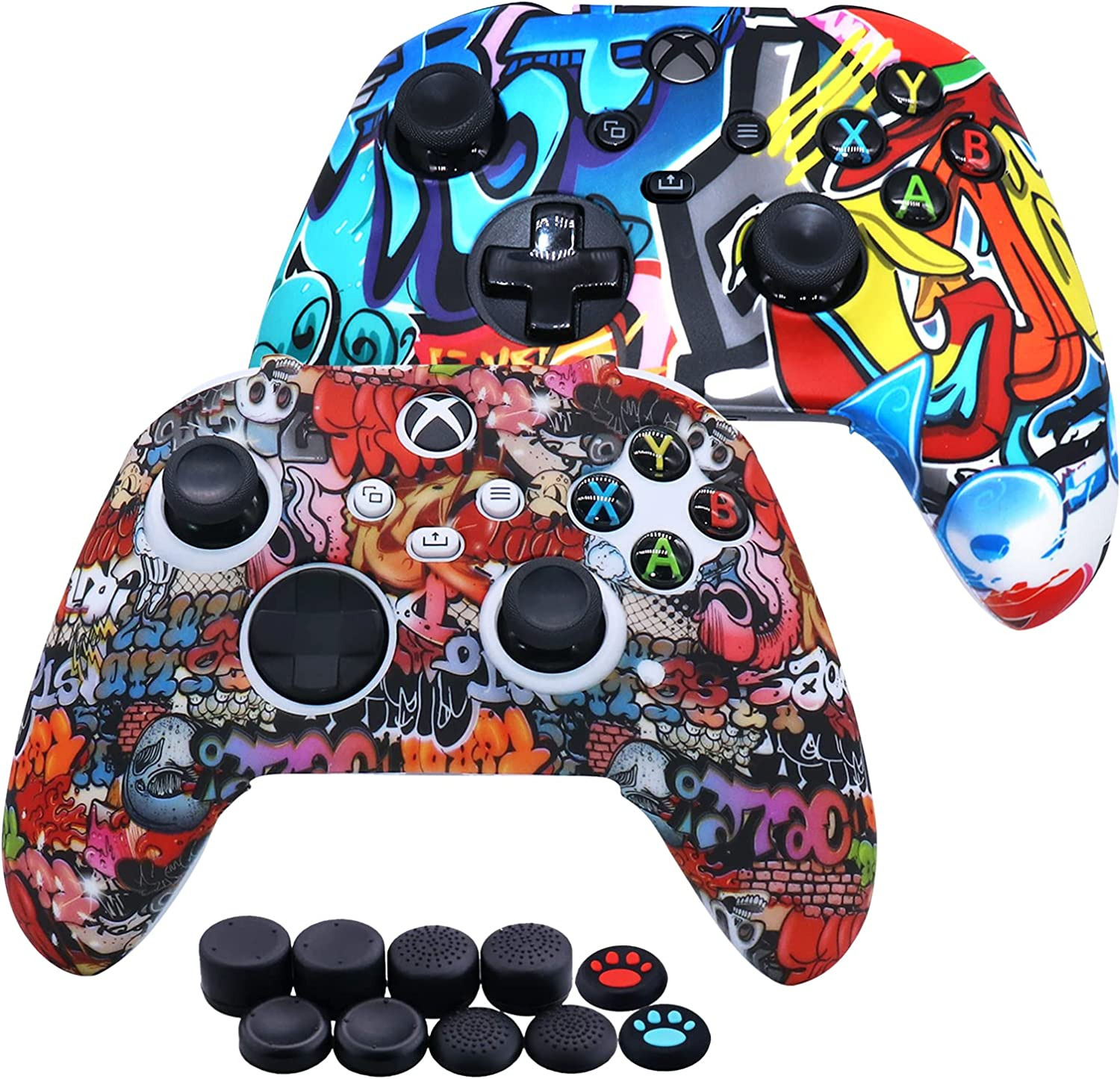
If your gamer uses an Xbox controller then these thumb grips make an awesome stocking filler no matter how old they are!
Xbox controller cover; these allow you to change the cover of the Xbox controller from boring to awesome. If you are a gaming parent then they can also help to stop any kids rows about whose controller is whose!
Gamer Gift: Xbox Controllers
So there you have it 10 awesomely good Christmas gifts for gamers that I know they will want as I am a gamer too!
The best budget graphics cards for gaming in 2021 need to play any of the current new games available. A Budget GPU 2021 may not play all games in their full glory but it will play them. There is nothing worse than getting a new game, installing it and finding the game plays like a slide show even on minimum settings.
This price range of budget graphics cards that will play the latest games has always been around the $200-$330 (£150-£250) range. Anything less and you run the risk of games not working and so Gaming becomes disappointing. I would recommend selecting a Graphics Card in this range or above.
What are the best affordable budget graphics cards for gaming?
This actually depends on the budget but if we focus on available cards (2021) that will play current games, we need to consider a few things. Some of the considerations are just personal preference, like Nvidia or AMD.
Here are my top-rated budget Graphics Cards in 2021 that will play most of the top games at a good frame rate.
Gigabyte Nvidia GeForce GTX 1660 SUPER GAMING OC 6G
MSI Nvidia GeForce GTX 1660 Gaming X 6G
Gigabyte Nvidia GeForce GTX 1650 SUPER OC 4GB
MSI Radeon RX 5500 XT MECH 8G OC
XFX Radeon RX 580 GTS XXX Edition OC 8 GB GDDR5
ASUS ROG Strix Radeon RX 570 OC Edition 8 GB
[amazon table=”7984″]
Gigabyte Nvidia GeForce GTX 1660 SUPER GAMING OC 6G
My personal favourite and what i currently have in my Gaming Rig. The Gigabyte Nvidia GeForce 1660 Super is an amazing card for top of the budget graphics cards and will play most of the top games at decent detail on a good frame rate. It sports 3 fans and this made it my choice, 3 fans need to spin slower than 1 fan for the same cooling effect, this makes the card very quiet, but does make this card the largest in this range.
[i2pc show_title=”false” title=”Pros & Cons” show_button=”false” pros_title=”Pros” cons_title=”Cons” ][i2pros]3 Fan Design means quiet gaming Great 1080 Gaming performance Screen Outputs: 1x HDMI 3x Display Port Power Efficient[/i2pros][i2cons]Large Card Top end of Budget GPU[/i2cons][/i2pc]
[amazon box=”B07ZPL9LX5″ template=”horizontal”]
MSI Nvidia GeForce GTX 1660 Gaming X 6G
Here we have the MSI Nvidia GeForce 1660 version of the 1660 Gaming Card, but not the “Super” version. This time presented in a smaller sized card with just 2 fans as with lower clock frequencies creates less heat. This makes it easier to fit into medium computer cases but will be slightly louder when under full load. If playing high resolution games for extended periods of time, in hot weather, expect those fans start spinning fast!
[i2pc show_title=”false” title=”Pros & Cons” show_button=”false” pros_title=”Pros” cons_title=”Cons” ][i2pros]Great for Meduim sized cases Great 1080 Gaming performance[/i2pros][i2cons] Top end of Budget GPU Too close to Super Price TDP more then Super[/i2cons][/i2pc]
[amazon box=”B07P66WG5D” template=”horizontal”]
Gigabyte Nvidia GeForce GTX 1650 SUPER OC 4GB
This is an exellect choice from the list of budget graphics cards for a Gamer with a small case. It could even be used to convert your small form factor office PC into something to play games on then you can’t go wrong with this card. It will fit most of the popular office system PCs but please check with your manufacture before buying.
Due to the Gigabyte Nvidia GeForce 1650’s reduced spec over the 1660 Super it requires a smaller heatsink allowing it to fit into those smaller cases. This does however impact on performance, but not as much as you would think.
[i2pc show_title=”false” title=”Pros & Cons” show_button=”false” pros_title=”Pros” cons_title=”Cons” ][i2pros]Single Fan design will fit small cases Convert your office PC for Gaming Good Price V Performance Only 75W TDP[/i2pros][i2cons] Will only do Min detail on some games 4GB – Could limit some games 3 Display Outputs [/i2cons][/i2pc]
[amazon box=”B0829CH63P” template=”horizontal”]
MSI Radeon RX 5500 XT MECH 8G OC
The MSI Radeon RX 5500 XT is a similar price and performance to the Nvidia 1650 Super model but boasts an increase to 8Gb RAM. 8GB is great if matched to a higher spec processing core but this extra RAM does nothing for you if you are running lower resolutions. If the card can’t run the higher resolution due to speed there is no need for the memory.
Given the choice at this price range i would be looking at the Nvidia 1650 range of budget graphics cards.
[i2pc show_title=”false” title=”Pros & Cons” show_button=”false” pros_title=”Pros” cons_title=”Cons” ] [i2pros] 8GB VRAM Great texture and shadow detail [/i2pros][i2cons] Simulare performance to a 1650 High TDP usage [/i2cons][/i2pc]
[amazon box=”B082Q1ZFNX” template=”horizontal”]
XFX Radeon RX 580 GTS XXX Edition OC 8 GB GDDR5
The AMD Radeon RX 580 GTS is a hugely popular, readily available card that still does well on most of the new games. Its signifyingly older than the other cards here and this is reflected in the price. It is recommended that a 550w PSU is fitted as the card uses 185w, this is the highest running costs of all the cards here.
When looking at budget graphics cards I would always recommend buying the latest chipset models for your budget. This will more often than not support higher levels of DirectX, be more power efficient and will have newer features.
[i2pc show_title=”false” title=”Pros & Cons” show_button=”false” pros_title=”Pros” cons_title=”Cons” ] [i2pros] 8GB RAM Tried and tested card [/i2pros][i2cons] High power requirement (185w TDP) Ageing Model [/i2cons][/i2pc]
[amazon box=”B06Y66K3XD” template=”horizontal”]
ASUS ROG Strix Radeon RX 570 OC Edition 8 GB
The ASUS ROG range are IMHO the pinnacle of Gaming kit and the Radeon RX 570, 580 etc where great cards closer to their launch date. Unfortunately, newer cards now yield more performance with less power requirements than this card.
[i2pc show_title=”false” title=”Pros & Cons” show_button=”false” pros_title=”Pros” cons_title=”Cons” ] [i2pros] 8GB VRAM Tried and tested card [/i2pros][i2cons] High power requirement (150w TDP) Older card with the same $$$ and less performance [/i2cons][/i2pc]
[amazon box=”B07XH69LKM” template=”horizontal”]
Comparing the Nvidia GeForce 1660 Super, 1650 Super vs AMD Radeon RX 5500, 580 GTS, RX570
Ultimately Nvidia’s GeForce and AMD’s Radeon series of cards are setting out to do the same thing, both display great graphics at a great price. They both do this in a slightly different way, Nvidia has what’s called CUDA Cores and Radeon uses Stream Processors, these in turn have a core frequency and the memory utilised by them has a type (GDDR) and speed (1500-2000Mhz) rating.
Both Nvidia GeForce and AMD Radeon cards render the picture you see on your display in a slightly different way. This always seems unfair to compare like for like on the hardware level (Cores vs Stream Processors etc) so I should always compare on real world results like playing actual games.
FPS are calculated by taking the average FPS from 100s of system test with game settings on Max detail at 1080p
Video Out Puts
Recommended PSU Requirement (Watts)
TDP (Watts)
Fortnite Effective FPS using Intel 9600K CPU
VRAM
Gigabyte Nvidia 1660 Super
1x HDMI 2.0b 3x Dispaly Port 1.4
450
120
116
6 GB
MSI Nvidia 1660
1x HDMI 3x Dispaly Port
450
130
101
6 GB
Gigabyte Nvidia 1650 Super
1x HDMI 2x Dispaly Port
300
75
93
4 GB
MSI Radeon RX 5500
1x HDMI 2.0b 3x Dispaly Port 1.4
450
130
84
8GB
XFX Radeon 580 GTS
1x HDMI 3x Dispaly Port
550
185
83
8GB
ASUS ROG Radeon RX570
1x HDMI 2.0b 1x Dispaly Port 1.4 2x DVI-D
450
150
61
8GB
What to consider when searching for the best budget graphics cards in 2021?
There are so many choices when it comes to budget graphics cards (GPU) and not all cards are made equal, even on the same chipset. Here is a list of things you should consider when choosing a GPU.
Nvidia or AMD
RAM Size
Power consumption and power connectors
Noise level
Display out puts
Physical size of the card
All these are cover in more depth on my GPU Explained page.
Gaming PCs (Gaming Rigs) or Gaming Laptops are a completely different ball game to Gaming on Consoles. With a console (Xbox, PlayStation etc) you buy the console and then purchases games for that console and away you go, you’re up and playing in no time.
However, those games are bound to that generation of console and can’t be used with other consoles, it’s only been in recent years that we now see backward compatibility with new to old consoles and this is still not 100% perfect.
Gaming on a PC/Laptop can sometimes require specialist skills and hardware like dedicated Graphics Cards (GPU, Graphical Processing Unit) to play the game you want but offer you a much longer gaming experience than consoles with a much larger selection of games.
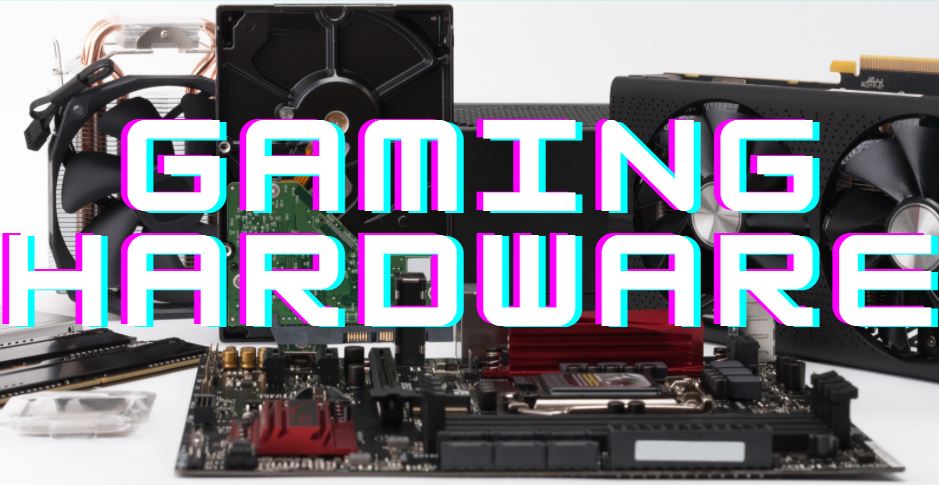
What kind of gaming hardware is needed in a PC?
You will need to decide on a verity of gaming hardware to buy, such as AMD or Intel (CPU), Nvidia or AMD (GPU). Here are the items you may need to think about. I would defiantly recommend deciding on a budget first them splitting that amongst the components. Place 20% of your hardware budget to the GPU
Graphics Card or GPU (Graphical Processing Unit)
Display: Screen (Monitor)
CPU (Central Processing Unit)
Motherboard (Mobo, Mainboard, Circuit Board, System Board, Baseboard)
RAM (Random Access Memory or just Memory)
Storage: HDD (Hard Disk Drive), SSD (Solid State Drive)
Power: PSU (Power Supply Unit)
Interface: Mice and Keyboards
Case (Mid Tower, Full Tower, Compact Cases, Desktop)
Headsets, Mic’s and Speakers
Gaming Chairs
Graphics Cards or GPUs (Graphical Processing Unit) – This renders the graphics you will see in the game. Better the card, better graphics will look
Screen (Monitor) – The item most people associate with a Computer, the thing you look at.
CPU (Central Processing Unit) – This takes care of all the instructions from other parts of the computer, the player, other players (on the internet), NPCs and tells the GPU what to display and when and then links them all together. Hence its name
Motherboard (Mobo, Mainboard, Circuit Board, System Board, Baseboard) – This component houses the CPU, GPU, memory and links them all together on a physical level.
RAM (Random Access Memory or just Memory) – This is where the computer holds the information about the current tasks it is doing. This of this like your “short term memory” and is emptied/cleared every time you switch off your PC or reboot it.
HDD (Hard Disk Drive), SSD (Solid State Drive) – This item is often confused with RAM but holds information about the Operating Systems (OS) and Apps you want to use rather than using at the moment. Think of this like your “long term memory” It’s always available to you and when you need it and when needed its loaded into RAM. The HDD/SSD retains its data even when switched off.
PSU (Power Supply Unit) – These feeds the computer with power, it takes in mains power (240v or 110v depending on where you live) and outputs what the computer needs (3.3v, 5v and 12v). The amount of power is measured in Watts and the number of watts needs to be calculated otherwise your PC will not run efficiently.
Mice and Keyboards – Sometimes overlooked is the humble mouse and keyboard. Used as the interface between human and computer and can be the difference between “kill or be killed”
Case (Mid Tower, Full Tower, Compact Cases, Desktop) – For me these are functional items that you mount all the components in, but for others they show case their PC and they are works of Art.
Headsets, Mic’s and Speakers – If you want to be noticed on the gaming scene and play in teams then Headsets with good quality mics are essential. There is nothing worse than someone using cheap ear pods with a bad mic picking up all the background noise around you so nobody can hear what you are saying.
Gaming Chairs – probably the single most over looked item to buy and something you will eventually need for those long gaming hours.
What hardware difference is there between Gaming Computer and Regular Computer?
The main difference in Gaming Hardware over a standard PC is the GPU and the PSU.
The GPU is the part of the computer that creates the fantastic worlds the gamer wishes to immerse themselves in, a regular computer will have a integrated or discrete video output. The PSU supplies power to the components in the computer, often Regular computer will have a much lower wattage PSU than a gaming one.
Without a good GPU the games will look bland and have low detail, the screen will judder and look more like a slide show than a movie and in most cases will just not work at all.
The GPU is not the only part of the PC that is important in gaming. If you want a top-class Gaming Rig then you will need to look to all the parts of the computer, the CPU, Mobo, RAM and disk. You may also need to look at custom cooling if you want to go extreme Gaming.
Gaming PC vs Gaming Laptop?
Without delving in too deep into this question it basically comes down to 2 points.
Do I need my Gaming Rig to be portable?
Do I have the space for a Box and a Screen?
If you answered, Yes then No, it’s a laptop then. If you answered, No then Yes, it’s a Desktop Rig as you will get more for your money
[i2pc show_title=”false” title=”Pros & Cons” show_button=”false” pros_title=”Laptop Pros” cons_title=”Laptop Cons” ][i2pros]Portable Small foot print Built-in Screen[/i2pros][i2cons]Costs more than desktop counterpart Performance will be lower than a desktop for the same spec/cost Heat is harder to disperse due to compact designs[/i2cons][/i2pc]
[i2pc show_title=”false” title=”Pros & Cons” show_button=”false” pros_title=”Desktop Pros” cons_title=”Desktop Cons” ][i2pros]Higher Spec Custom Builds Easyer Upgrades Larger Screens Data Storage has more options Cleaning dust from heatsinks is easyer[/i2pros][i2cons]Fixed location, harder to move about Larger Foot Print.[/i2cons][/i2pc]
Why are PC Gaming Rigs better than consoles?
PC Gaming in my opinion is far superior to consoles due to a variety if reasons:
Longevity of Games. Buying a PC game from a DLC site (Downloadable Content) or on a disc means that game is your forever (excluding some subscription games). I can still play games i purchased via Steam 20 years ago on my brand-new state of the art Gaming Rig. Consoles on the other hand have very limited backward compatibility features.
Amount of Games. There are literally Millions of Games for PC from Shoot ‘em up to Sport simulators, the PC has them all.
Better Graphics. what I mean here is that with a PC and when your budget permits you can buy a new graphics card and instantly see an improvement in your game but increasing the detail, textures and view distance within the game. With a console you cannot do this and are limited to what the game producers can get out of the console by optimising the code.
PC are versatile. where a console is limited to playing games, on a PC you can do a whole lot more much easier. With a keyboard and mouse at your fingertips a PC can be used for a much wider range of activities. PCs can also be easily upgraded so once you have a PC it is very easy to add or replace parts to make it better and faster.
Educational. PC have a lot more educational applications available to them including “learn as you play” games where consoles are aimed at mainly playing games.
Skills for Life. Learning how to design, build or even just use a PC are skills for life. The fundamentals of PC’s are still the same as they were when Windows 3.1 came out in 1992. Learning to use a PC can help you in your everyday life, from buying items on Amazon or eBay to booking tickets for an event or show. Consoles cannot help you with this and they will be on the recycling heap before you realise.