To claim one of the 9 Fortnite Capture Points is the easy part. Stopping other players capturing it before you can be slightly harder. You will need to drop in close to one of the locations, grab some weapons and shields and prepare for a battle right away. You may get lucky and drop alone if the Capture Point is far from the Battle Bus. If not, prepare to defend yourself.
Once the area is safe, proceed to the Capture Point and stand within the circled area on the floor. Doing so will sound an alarm and the flags around the centre post will start to raise. It’s kind of like “Capture the Flag” or “Capture the Base” style games.
If you are attacked while capturing the flag and have to leave the circle the progress of the flag will stop. However, it won’t be lost and you or another player can continue the capture once returning to the circle.
Once the flags reach the top of the post you have captured the area and you will receive some gold, loot and XP.
The Fortnite Capture Points are located at each of the named hotspots on the island. Each location has its own Post and flag to raise, so you can complete 2-3+ Captures in each Battle for maximin loot, gold and XP.
There will be a ring on the floor around the capture point that you will need to stand it to make the capture. Once captured, your chosen banner will appear on the flag for all to see.
Fortnite – Capture Points – Captured – Win
What do capture points do in Fortnite?
Once you capture the point you will receive a bounty of loot. High grade weapons, shield pots, shield kegs, ammo and some gold. You will also receive some good XP to help you with those pesky levels.
Fortnite – King of the Castle
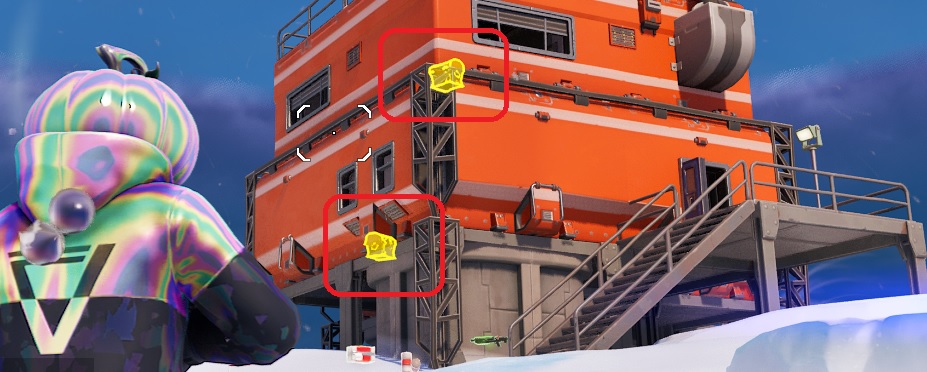
The Capture Point will also reveal to you all nearby chests and Oathbound Chests, (Highlighted in Yellow) but this won’t last for long so be quick and grab those Oathbound Chests fast.
Fortnite – Capture Points Chests Reveiled
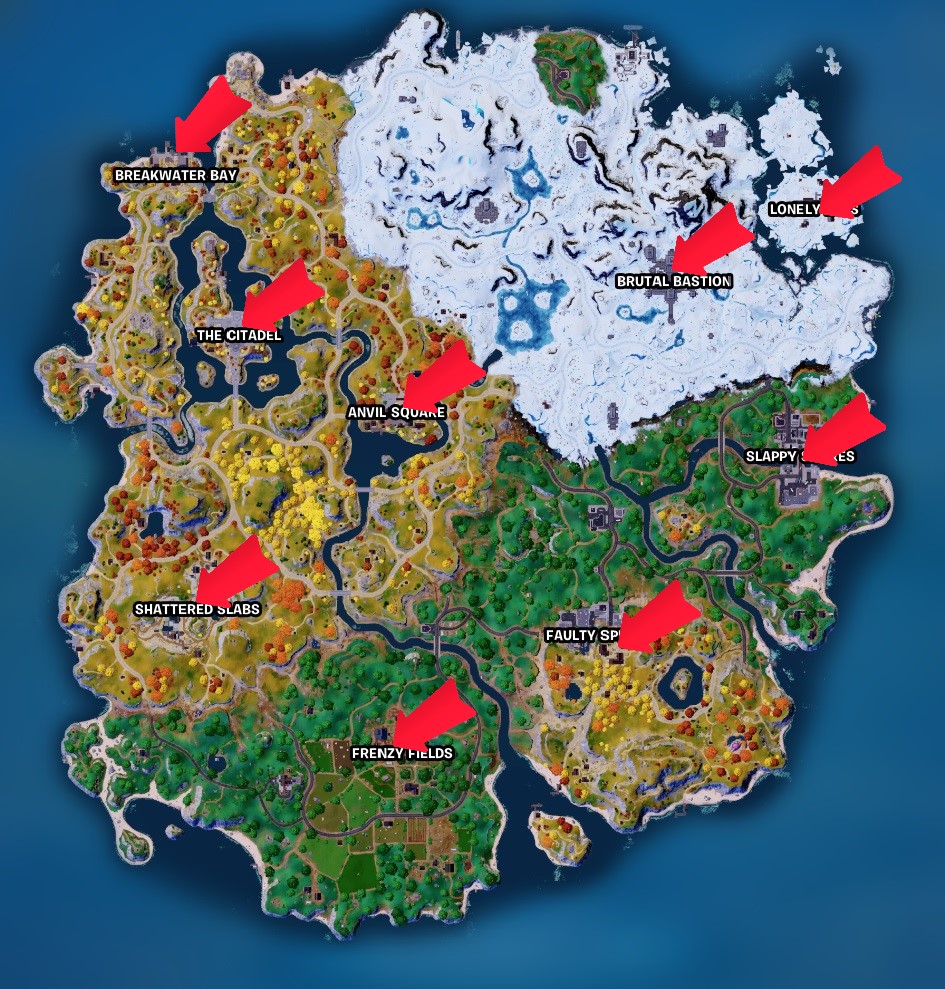
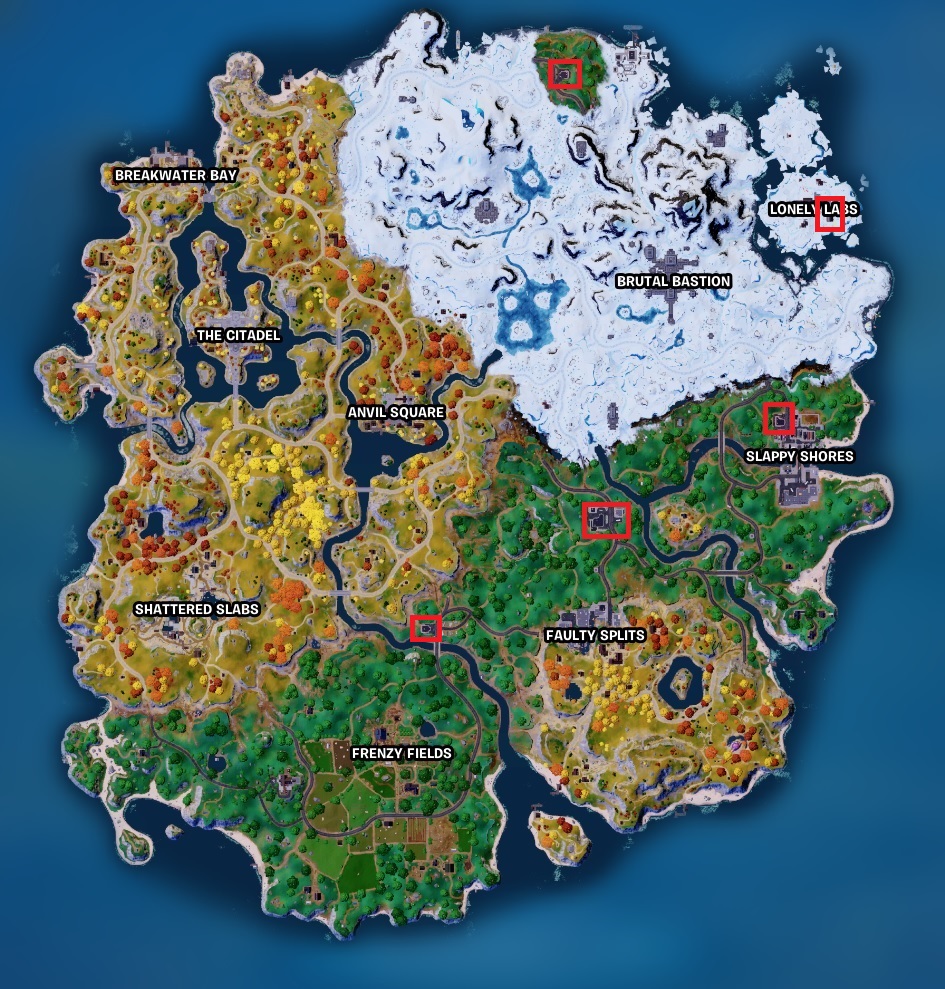
Where are the Fortnite Capture Points
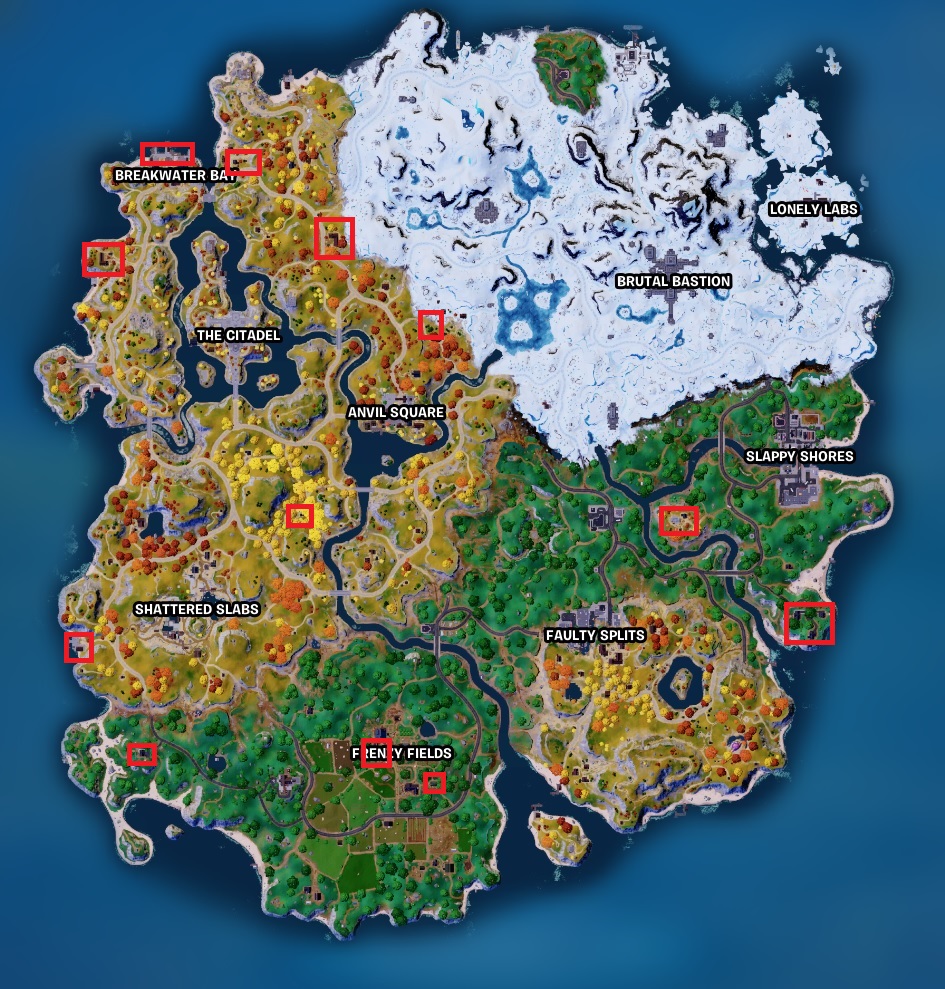
There are 9 Capture Points on the Fortnite Island. Each at one of the named location points.
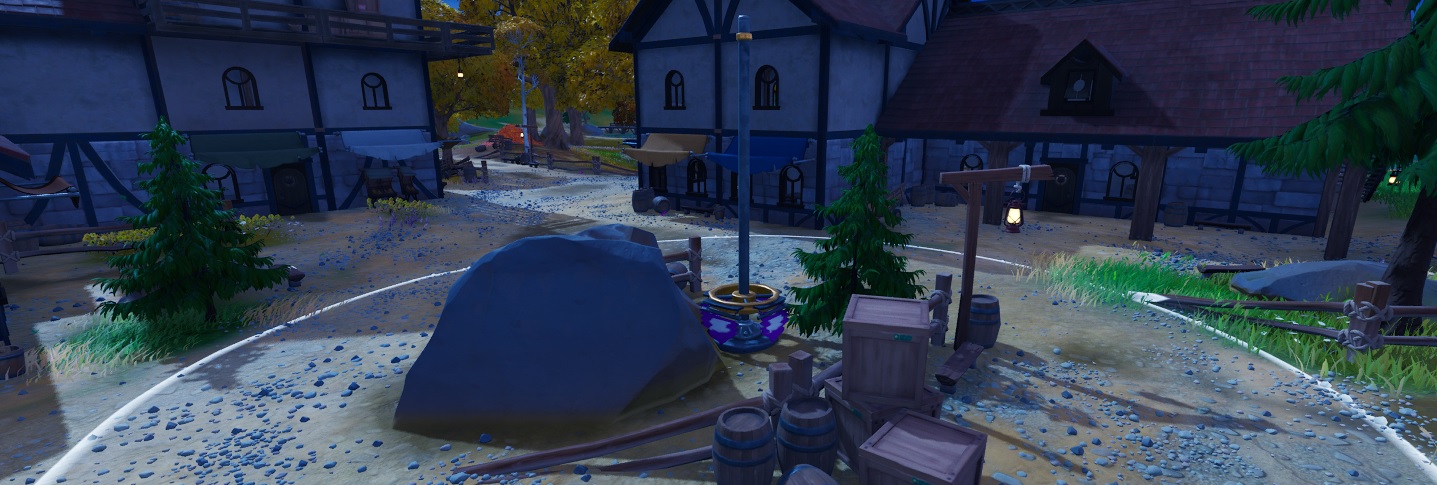
Anvil Square
Breakwater Bay
Brutal Bastion
Faulty Splits
Frenzy Fields
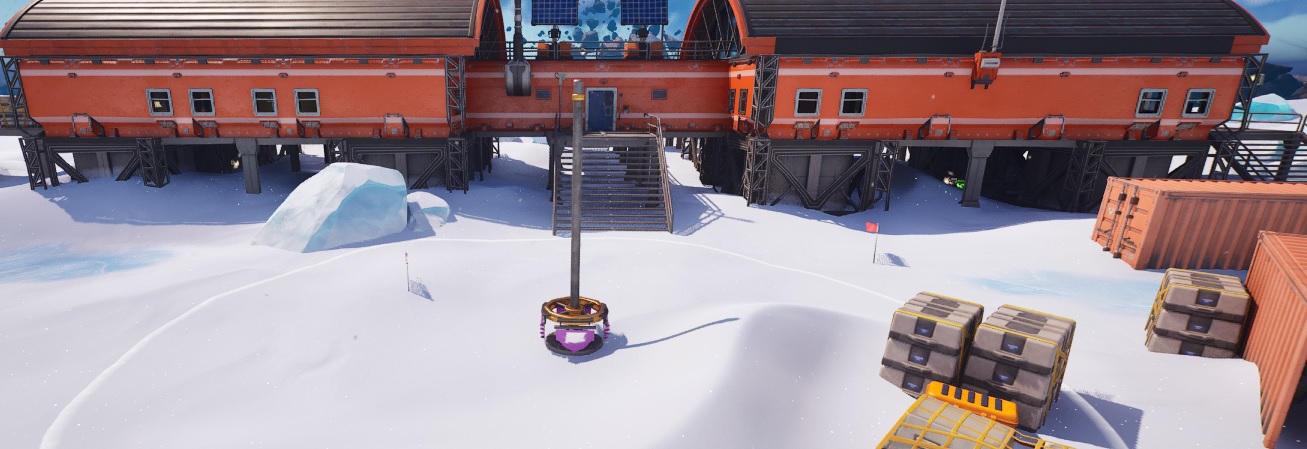
Lonely Labs
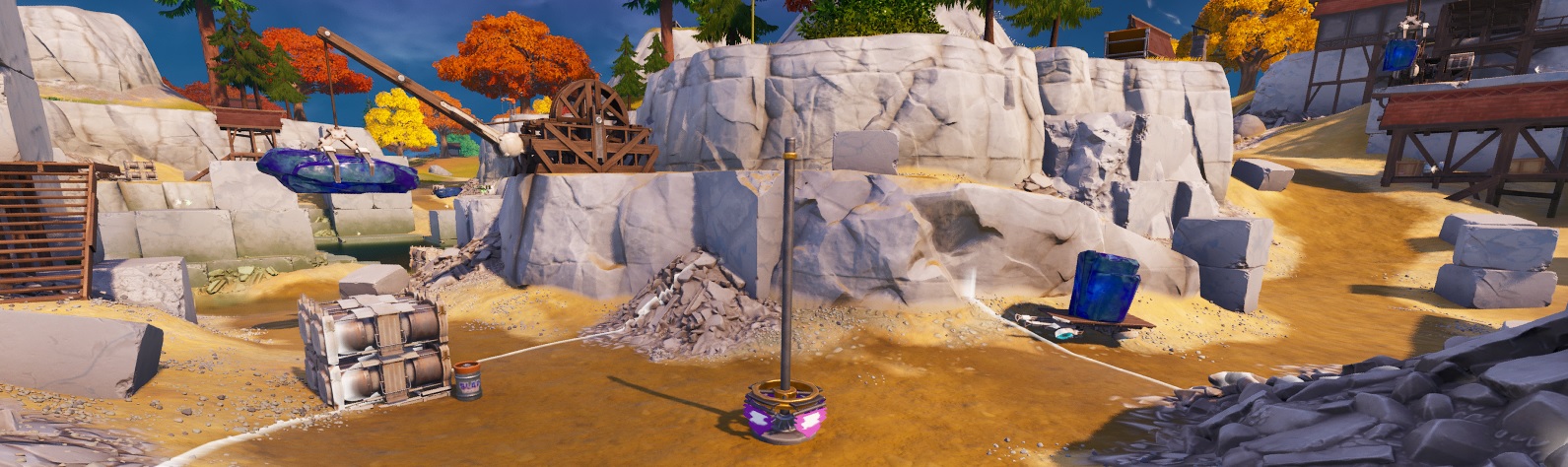
Shattered Slabs
Slappy Shores
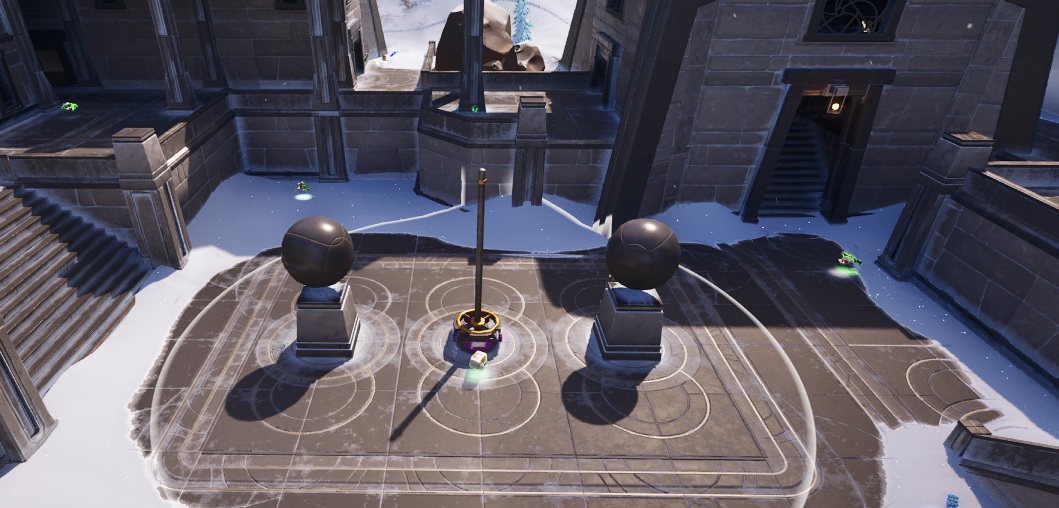
The Citadel
Fortnite – Capture Points – Locations
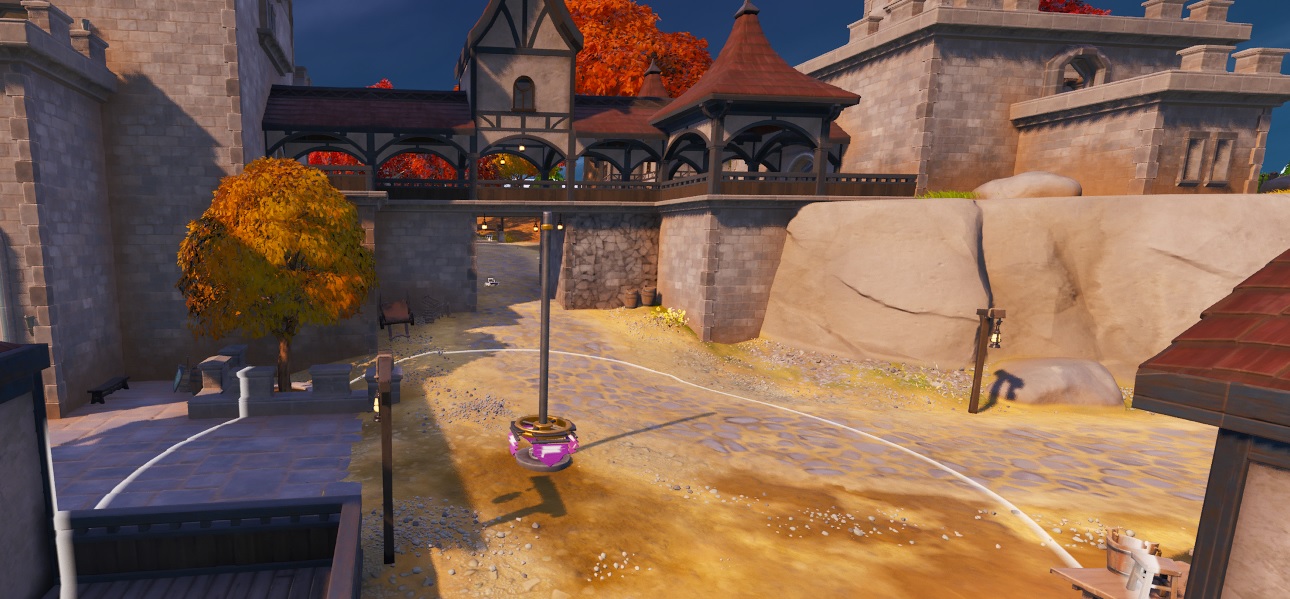
Capture Point at Anvil Square
In the main square at the cross roads to the centre of the town.
Fortnite – Capture Points – Anvil Square
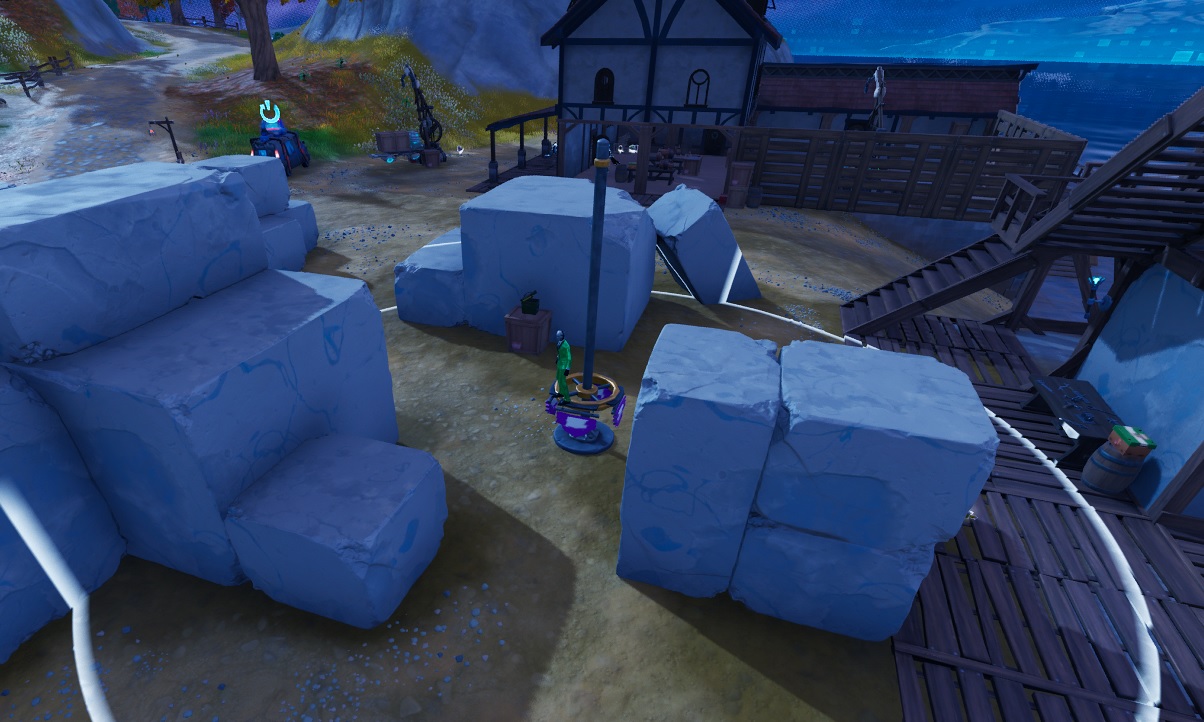
Capture Point at Breakwater Bay
To the south of the town, in the construction area between the large rocks
Fortnite – Capture Points – Breakwater Bay
Capture Point at Brutal Bastion
In the centre of Brutal Bastion in the court yard
Fortnite – Capture Points – Brutal Bastion
Capture Point at Faulty Splits
On the higher side of the town, in the medieval part.
Fortnite – Capture Points – Faulty Splits
Capture Point at Frenzy Fields
In the open area between the barns
Fortnite – Capture Points – Frenzy Fields
Capture Point at Lonely Labs
Right in the centre of the Outpost
Fortnite – Capture Points – Lonely Labs
Capture Point at Shattered Slabs
To the centre of the quarry on a low part but not near the water
Fortnite – Capture Points – Shattered Slabs
Capture Point at Slappy Shores
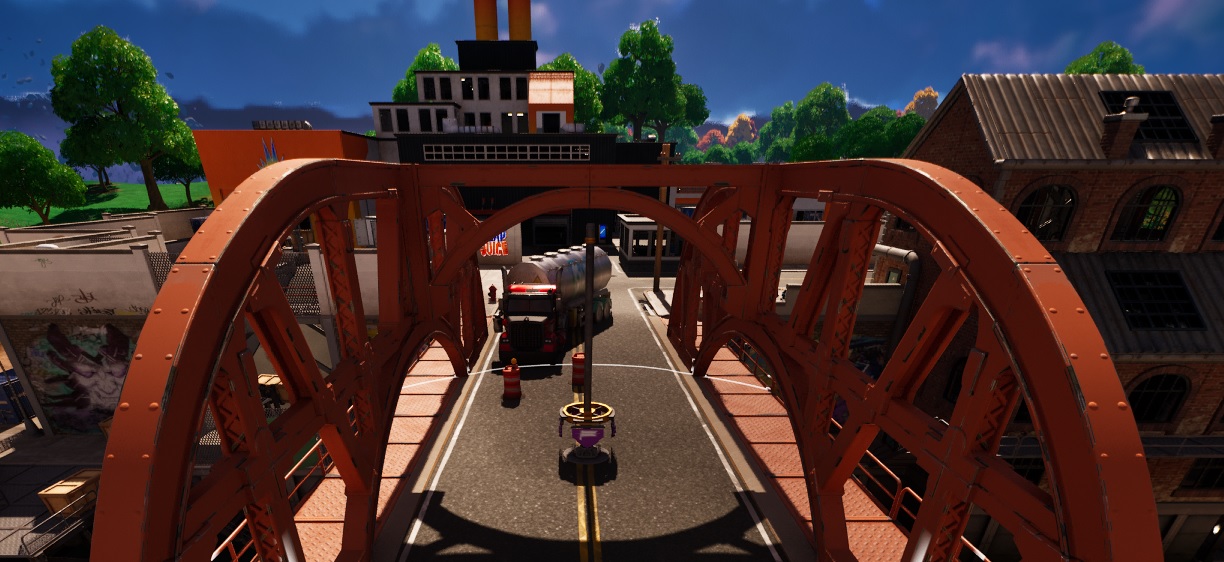
On the bridge between the north and south side of town
Fortnite – Capture Points – Slappy Shores
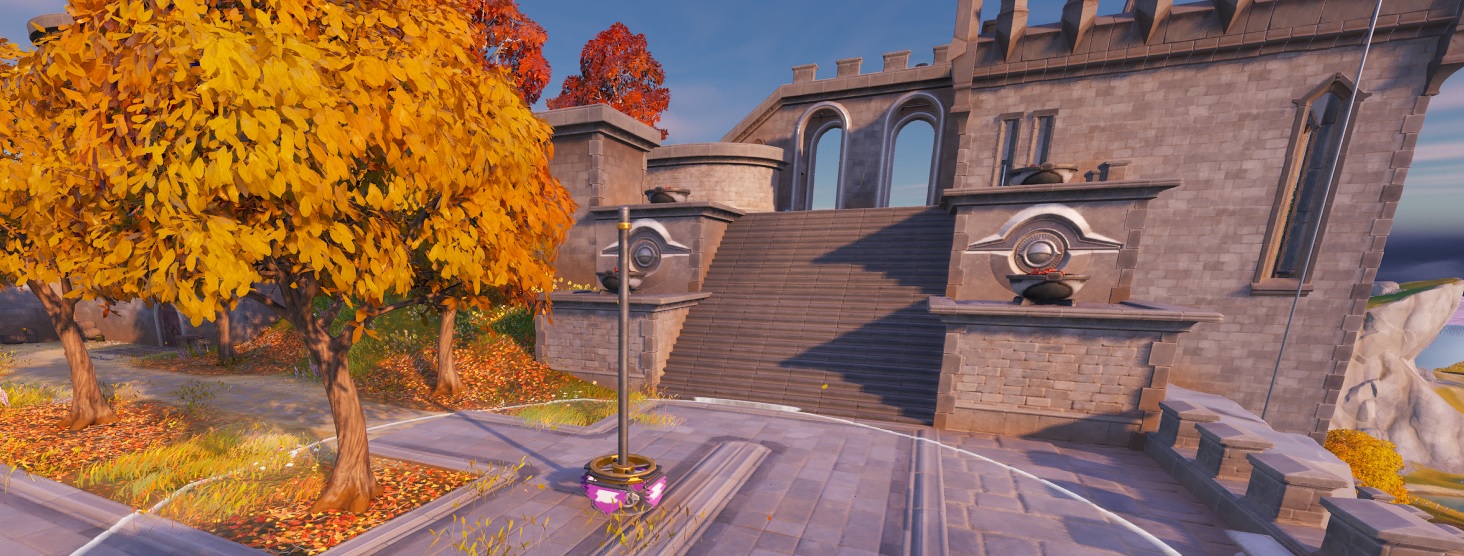
Capture Point at The Citadel
On top of the battlements, so it’s best to drop in to the location right away.
Fortnite – Capture Points – The Citadel
Some other Fortnite Guides to help you get Cracked
Hide in a Giant Snowball in Chapter 4 Season 1 is actually really fun, especially if you do this at one of the highest mountains with a friend. Yes, multiple players can get in the same snowball, 1 player push’s the snowball off the mountain and then jumps in!
This should work for other locations as well, so if there is another Hide in a Giant Snowball, it should work just as well at the other locations.
Fortnite – Hide in a Giant Snowball at Frosty Firs, Brutal Bastion, and Lonely Labs
Hide in a Giant Snowball at Frosty Firs, Brutal Bastion, and Lonely Labs
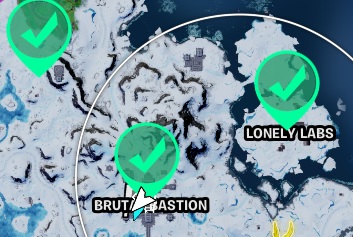
You can either spend 3 games and drop at each of the 3 locations or just hit them all in one match, choice is yours. Doesn’t matter on the order they are done in either, just as long as you make the Giant Snowball close to the spot required or it will not register as completed
Track the quest and check the map for the first drop location.
How to Make a Giant Snowball in Fortnite
If you use the Track Quest feature in the quest menu and then click on the quest they sometime give you a little more info into on what you need to do.
Fortnite How to make a Giant Snowball
Simply equip your harvesting tool and dig up the snow, it will start to form into a larger and larger Snowball. Eventually you will get the option to Hide in the Giant Snowball once its big enough.
Fortnite – Hide in a Giant Snowball at Frosty Firs, Brutal Bastion, and Lonely Labs
Hide in a Giant Snowball at Frosty Firs, Brutal Bastion, and Lonely Labs – The Locations
You have to make the Giant Snowball at 3 different locations, no order needed, all 3 in one match or 1 per match, it doesn’t matter.
Hide in a Giant Snowball Locations
Some other Fortnite Guides to help you get Cracked
The Gas Stations are located on the more advanced side of the island to the west, the island parts pulled in so far have only Gas Cans. At these locations it’s going to be busy as loot and items are in plentiful supply. We’re going to find a good range of weapons, Ice machines, Cash registers, produce boxes and of course the much-needed ammo boxes.
So far, the Fortnite Whiplash has been reduced in favour of the Fortnite Dirt Bikes! Trucks are still in, lets see what unfolds as new locations are added to the Island, I am convinced the sea/water area around the island will eventualy be covered.
What are the Gas Station Locations in Fortnite
Here are the locations of the actual Gas Stations, not including just pumps, ive not seen any yet. If you need to know all the locations that you can fill up, at check-out Gas Stations and Gas Pumps Map or Fortnite Gas Can Locations.
Gas Stations Fortnite Locations Map Chapter 4 Season 1 v23.00
Having only 5 full on Gas Station on the Fortnite Island can prove to be a bit tricky to find fuel, especially if you’re still cruising around in a gas hungry Fortnite Whiplash. Maybe this was done to encourage players to ride the Fortnite Dirt Bikes more often, they are fun!
However, there are plenty of Gas Cans around if you know where to look. I am thinking, when new areas are added then we will see a few more gas stations appear on the island.
What are the Gas Can Locations in Fortnite
Well, it seems that this chapter favours the Fortnite Gas Can as they seem to be everywhere. Here are some good spots I found so far; I have listed here just the area with lots of can so you pretty much guaranteed to find a can.
If you need the full list of all the gas cans on the island, check here: Fortnite Gas Can Locations map
Gas Cans Fortnite Locations Map Chapter 4 Season 1 v23.00
Enabling Epic Games Fortnite 2FA is essential to help keep it secure and it will help to keep your account, skins and all your hard-earned items safe. For the most secure Epic Account setup, continue reading for the full proppa guide to Epic Games Fortnite 2FA and securing your most precious Fortnite Assets!
A real-life wallet with credit cards, some cash, driving licence etc = All Replicable
Online gaming account you spent years building = Irreplaceable
Epic Games Fortnite 2FA
What is Epic Games Fortnite 2FA?
Epic Games Fortnite 2FA (Two Factor Authentication) is not exclusive to Epic Games and Fortnite, you will also be using it to log onto secure banking or maybe social media sites like Facebook or Twitter. It is called “Two Factor Authentication” as you use 2 different pieces of authentication or identification to log into a site.
You would normally use an email or login name with a complex password for the first authentication to get into a site. Then once you pass this, you use a second piece of authentication like a code sent to your email address or SMS TXT message or the best would be by using an actual authenticator application on your smart device to generate a code for you.
How do I start setting up 2FA for Fortnite?
To enable Epic Games Fortnite 2FA, you are going to need a secure Epic login account with a good strong password! Use any of the big AV or VPN sites to help create a password for you.
I would recommend any of the following to generate a 16-character password, select to use all character and numbers and then once you have your password, add another 2 characters yourself to bump it to 18, this way there is no way anyone, not even the password generation site knows your password. keep this super safe!
NortonPass – One of the original Anti-Virus programs ever made
I would not recommend using social media accounts like Facebook, Google or even your Steam account to log into Epic Games. If you ever have issues with your account on these other platforms you would now be locked out of your Epic Account and so locked out of your Fortnite account. It’s a lot of pain to get account issues resolved, so just don’t go there.
If you are new to Fortnite and login using a Facebook, Google or other accounts i would strongly think about opening a pure Epic Account under a personal email.
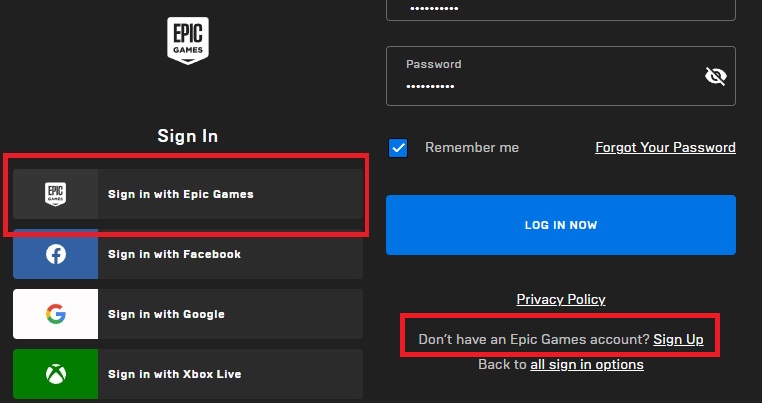
To log into Fortnite you are going to need to create an Epic Account first, click the “sign in” button on the top right. Select “Sign in with Epic Games” to make a pure unlinked Epic account to use with Fortnite. then click “Sign up” after – Don’t have an Epic Account?
Epic Games Account for Fortnite – Sign Up
Have access to the email account you will be using ready as you will need to verify a code sent to the email address to setup the account, remember to use a good secure password like described above.
Once you are setup and verified you can then enable 2FA!
How do I enable 2FA with Fortnite?
Epic Games Fortnite 2FA is enabled via the Epic Account login on the web portal and NOT in the Fortnite game itself. Navigate to Epic Games Login and log into your account, notice you only used your single login name and password to login. You are still on single Factor Authentication at this point.
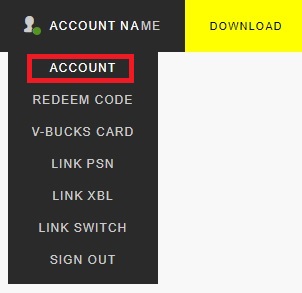
From the drop-down menu in the top right, where your login name is, click Account
Epic Games Account for Fortnite – 2FA
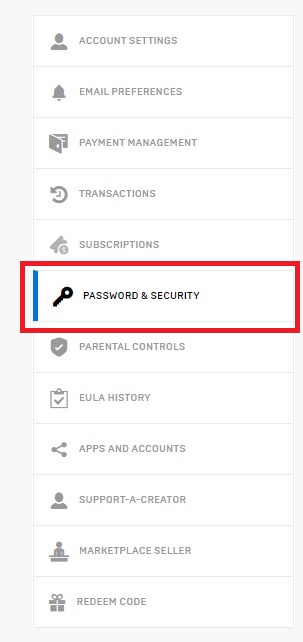
From the menu to the left side, you now select Password & Security
Epic Games Account – Password and Security
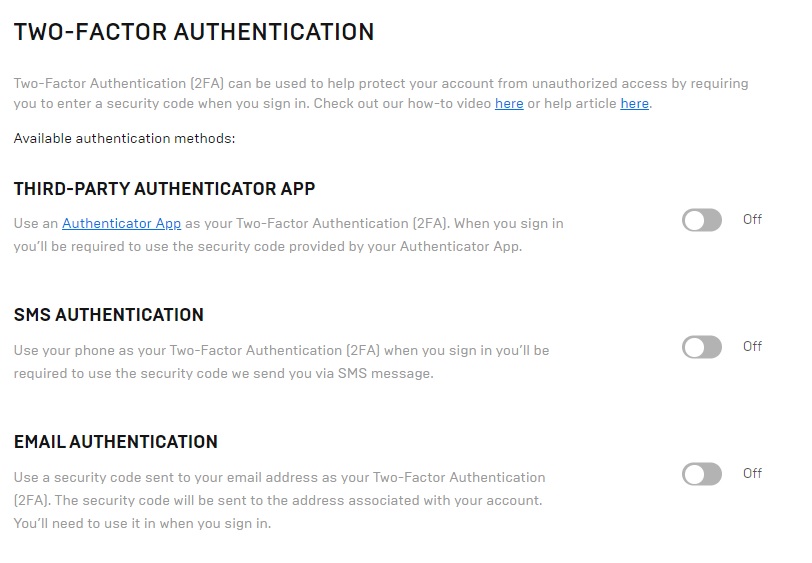
If you scroll to the bottom of the screen, you will see a section for TWO-FACTOR AUTHENTICATION.
You now have 3 options for Epic Games Fortnite 2FA (Two factor Authentication) to select from, but what one? Continue to read to find out more.
Epic Games Account for Fortnite – TWO-FACTOR AUTHENTICATION
What 2FA Should I use for Fortnite?
There are 3 options for Epic Games Fortnite 2FA you can select from, lets cover them here and select what’s best for your situation.
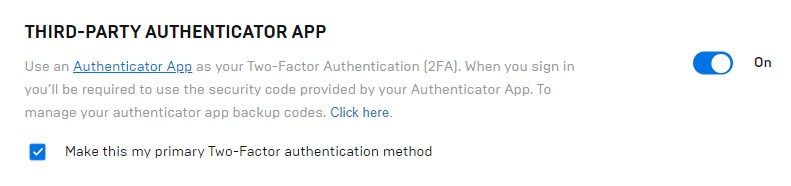
Third- Party Authenticator App – Smart Phone App
SMS Authentication – Standard mobile phone network (AKA TXT Message)
Email Authentication – Standard Email account such as [email protected]
Enabling Fortnite 2FA via a Third-Party Authenticator App
The first stage with this option is to download an Authenticator App to your smart device, IMHO the 3 Tops apps are as follows:
Microsoft Authenticator
Google Authenticator
Authy Authenticator
The Microsoft Authenticator is my favourite as it asks you for your mobile PIN Security at launch giving another layer of security to the setup. Once you have the app installed, return to the epic game site to enable 2FA Auth App on your account.
Toggle on the On/Off button next to the Third Party Auth App section.
Epic Games Account for Fortnite – Authentication App
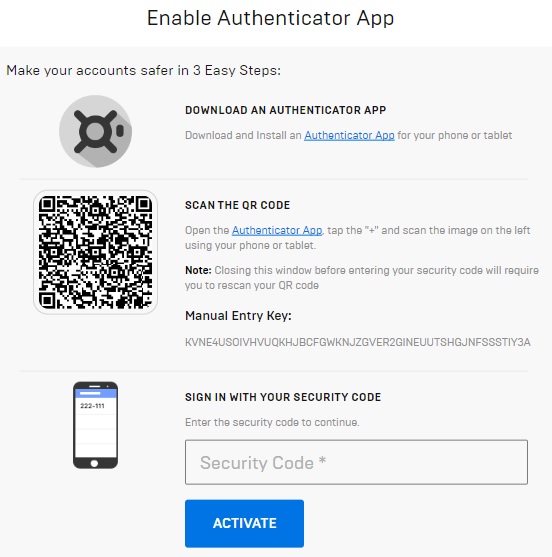
You will be presented with a screen like the one below, take a screen shot of this page as you will need it for account recovery should you need too. Then open your Auth App on your device, tap the + or add button and scan the square QR code.
From the Auth App on your device, check the Epic Games entry and type the code presented to you back into the screen you just scanned the code from, click Activate.
Epic Games Account for Fortnite – QR Code
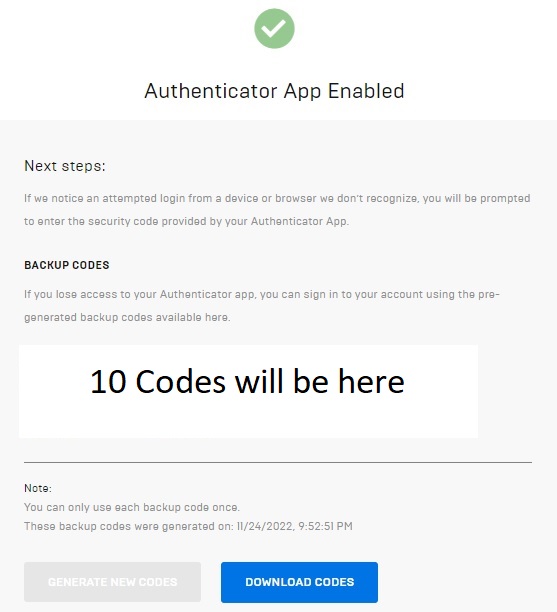
On the next screen you will be shown the Backup Codes you will need to set this up on a new device should you lose or upgrade to a new device. Take a screen shot and download the codes as well. Keep the downloaded codes and 2 screen shots you have super safe, print them out if needed and file them somewhere.
You will also receive an email confirmation this is completed.
Epic Games Account for Fortnite – QR Code Enabled
Once Epic Games Fortnite 2FA App is enabled and set correctly, and you have received and checked the confirmation email, your account Password & Security section should look like this.
Epic Games Account for Fortnite – QR Code Enabled
You will now have to enter a 6-digit code from the Auth App every time you login into your Epic Game Account so you are going to need your smart device handing before playing.
Top-Tip: Tick the box to “Remember Device” when you login, this will cut down on the authentications you need to make
Is an Authenticator App for 2FA any good?
Using a third-party app like the MS Authenticator is the best and only option over SMS TXT and Email 2FA. It is near on impossible to hack and could only really be compromised if an attacker stole your mobile device and got your PIN code or face/finger ID from you to open up the auth app.
I like the MS Auth App as it offers that additional level of security by asking you on the launch of the app, your PIN or face/finger ID even if the device is already unlocked.
Using the MS app as your Epic Games Fortnite 2FA device is the most secure way of protecting your account.
Enabling Fortnite 2FA via SMS Authentication
Toggle on the On/Off button next to the SMS Authentication section, this will enable sending of a SMS or TXT Message to a mobile device. You may need to complete a Security Check via a image matching process before continuing.
Epic Games Account for Fortnite – SMS Authentication
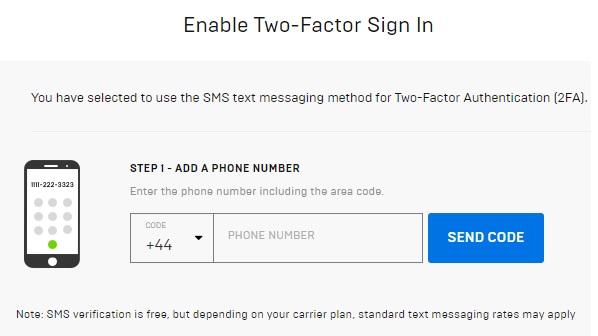
You will then need to add your mobile device number on the next screen, you maybe charged for these SMS TXT messages so check with the bill payer and/or contract details first.
Epic Games Account for Fortnite – SMS Authentication Details
You should get an SMS TXT from Verify (same authentication company eBay uses) with a code that you will need to enter to verify your account. You will need to have your mobile device handy when you log into your account from now on.
Epic Games Account for Fortnite – SMS Authentication Code
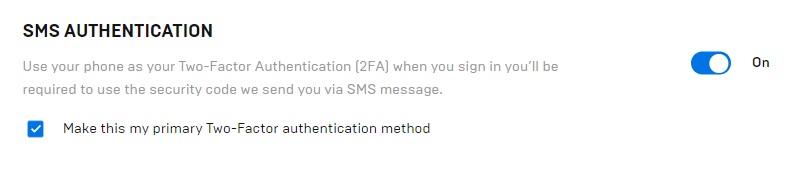
Your Password & Security section should now look like this to show 2FA SMS is enabled and you should get an email confirmation to back this up.
Epic Games Account for Fortnite – SMS Authentication is ON
To disable SMS TXT Authentication is very easy, a little too easy, just toggle the button to Off. No verification needed, I feel this should be an authentication step via SMS and Email notification. I didn’t receive either
Is SMS 2FA any good?
SMS 2FA is the second-best option on offer from Epic Games. SMS TXT System still has its flaws and can be open to a number of issues and attacks, but it’s better than no 2FA at all.
Toggle on the On/Off button next to the Email section, this will enable 2FA via an email address. You may need to complete a Security Check via a image matching process before continuing.
This method use the email address you used when setting up your Epic Account at the start, the one registered under the Account Settings at the top of the left menu
Epic Games Account for Fortnite – Email Authentication
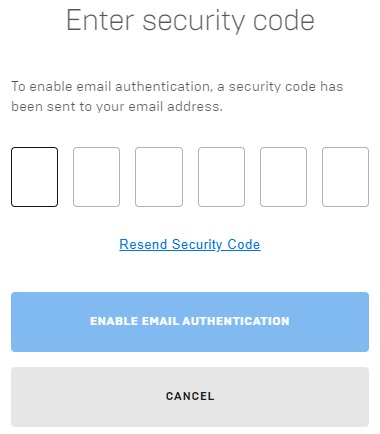
Once enabled, you will be prompted for the code that is going to arrive in your email, check your email and enter the code. From now on, every time you log into your Epic Account you will be prompted for this code.
Email Authentication – Enter the Code and Click Enable
Is Email 2FA any good?
Using email for Epic Games Fortnite 2FA is the most unsecure of the 3 methods on offer from Epic. You should see this as the most basic method of security but it’s still better than no 2FA at all. So, if you don’t have a smart device or a phone, then this could be your only option.
I would consider using a local computer Authenticator App like WinAuth rather than use Email!
If you are to use Email 2FA then:
Do Not Use a Free email account like Google, Hotmail or Yahoo – If this is your only option, enable any Advanced Protection that maybe on offer.
Do Not use simple passwords – Like, Password01 or FortniteistheBest99. Long random 18 Character passwords are the best
How to get the Free Boogie Down emote
Now that you have enabled Epic Games Fortnite 2FA on your account you should receive the Free Boogie Down Emote next time you login
Fortnite 2FA Boogie Down Emote
Should I use my social media Account for Fortnite?
I would not recommend this as if your social media account, Facebook, Google or Steam where to be compromised then this would ultimately affect your Epic account. be safe and make an Epic account with its own unique login.
Can you crack 2FA?
In short, there is always hackers that will try and obtain your details to gain access to your account. There are plenty of reports from reputable security companies on the internet to read up on 2FA.
Here are some tips on the safest 2FA approach:
Do not use FREE email providers, not even Hotmail
Always use 18+ character password on the email account you will use as your primary authentication method
Use the MS Auth Application for the 2nd authentication method – If you have no smart device use WinAuth
Enabling Epic Games Fortnite 2FA is the best way to keep your Account safe
How do hackers defeat 2FA?
There is a lot of info in the internet from professional security companies on how hackers steal your account details, read up on these rather than take my word for it.
Most of the hacks, even if you have 2FA enabled, are from man in the middle attacks meaning these are attacks from not a hack as such but your data being leaked onto the web via a tracking bot or data/screen capture spyware. It could be a weak password has been used and your account has been reset via access to your mailbox.
Here are some tips on how to be as safe as possible:
Never share your login or password with anyone, not ever, not even Epic
Use Anti-Virus apps on PC, MAC etc
Use different password on different platforms
Do not ask for account help from random people on the internet
Need Free PUBG skins? Look no further, here is a rundown of all the ways you can get some FREE PUBG Skins
Outfits are becoming more and more popular and the creators are adding more and more Skins, outfits and clothing to keep you hooked. The publishers of PUBG, Krafton want to get your hard-earned money but they also like to add some PUBG FREE skins to the mix.
You can play most of PUBG and not pay a penny or buy any skins, so here is how to get your hands on some FREE PUBG Skins
How to get FREE PUBG Skins?
One of the easiest ways to get some FREE items in PUBG is to keep an eye on the in-game News page. Every month Amazon prime do a collaboration with PUBG and offer some items totally FREE.
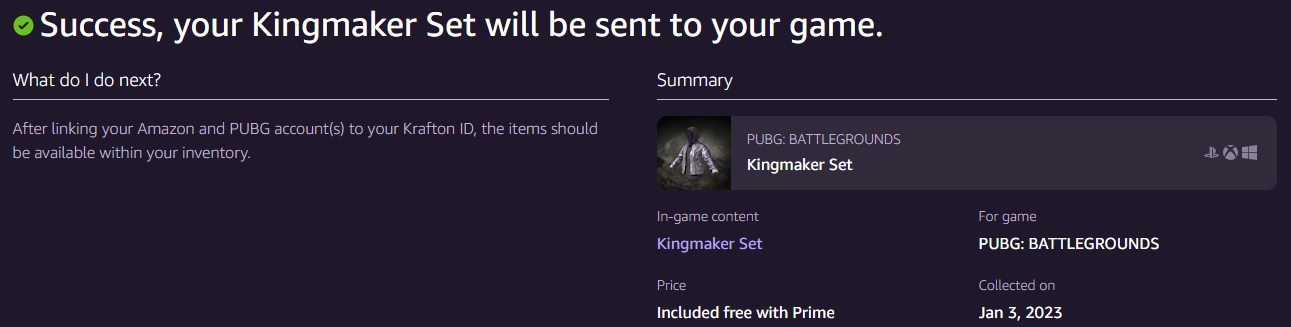
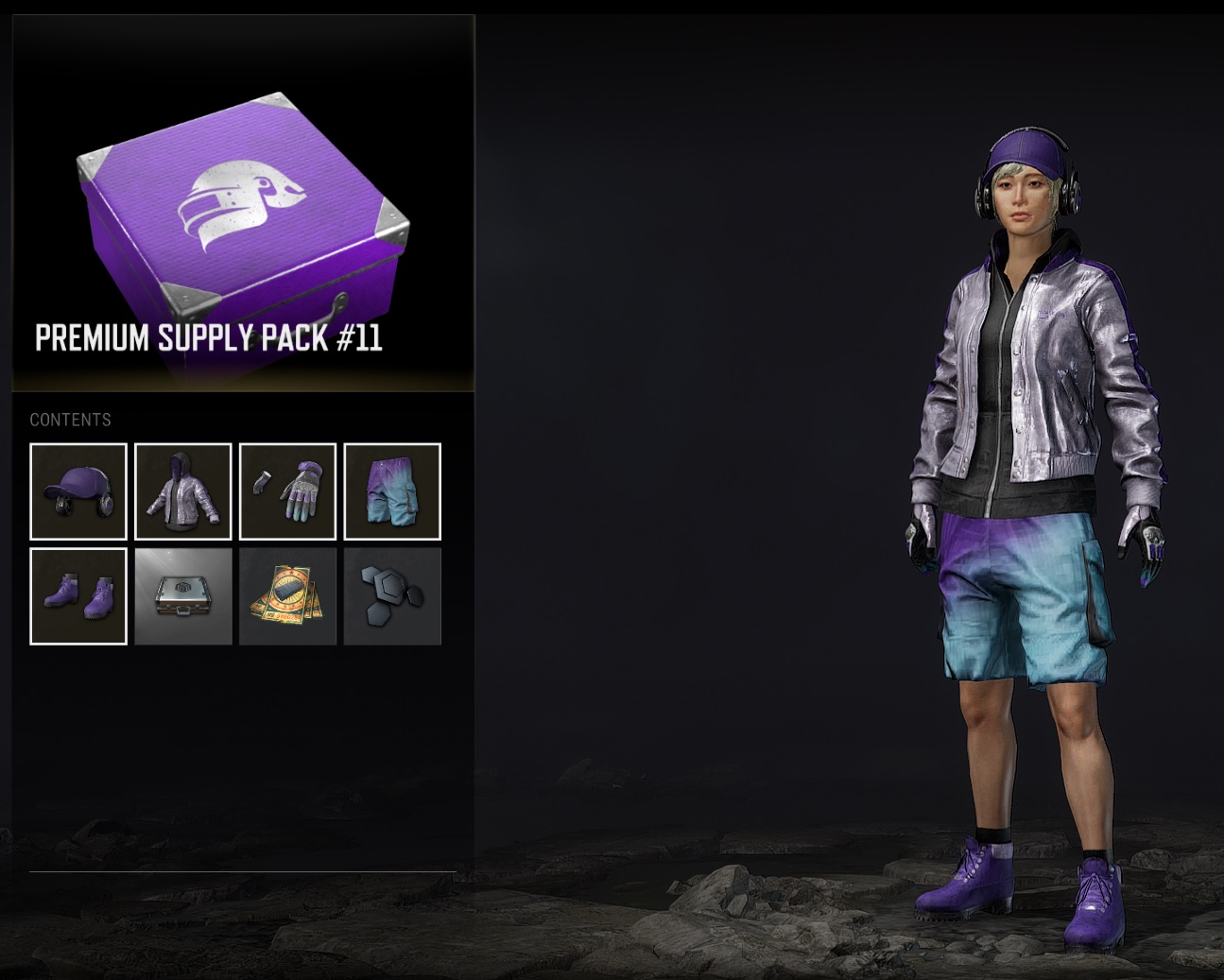
The December 2022 items is the Kingmaker Set, comprising of Cap, Jacket, shorts, gloves, boots and most importantly a silver G-Coin Box, Contraband coupon and 30x Polymer all FREE.
You will find these offers in the NEWS section from the in-game menu at the top of the screen
FREE PUBG Skins – Kingmaker Set -News
Amazon Prime Gaming Perks for December 2022
You will need to be an Amazon Prime member to receive this Premium Supply Pack, if you are not then you can always sign up for 30days and see if you use the other Amazon perks. As I am an Amazon customer already this is great, no need for sign up.
FREE PUBG Skins – Kingmaker Set -Amazon Prime
Follow the link on the NEWS page and you will need to have your Amazon details handy and a Krafton account, link your Epic account, Amazon account to the Krafton the account and you’re ready to receive the reward. This is a one-time setup and so you won’t need to do this again next time there is an offer on, you just claim the items on offer and your good to go
FREE PUBG Skins – Kingmaker Set – Amazon Reward
Amazon Prime Gaming Perks, FREE PUBG Battlegrounds Skins
To my surprise, not only did I get the Kingmaker Skin set but i got a whole bunch of other items as well in the crate.
FREE PUBG Skins – Kingmaker Skin – Amazon Reward
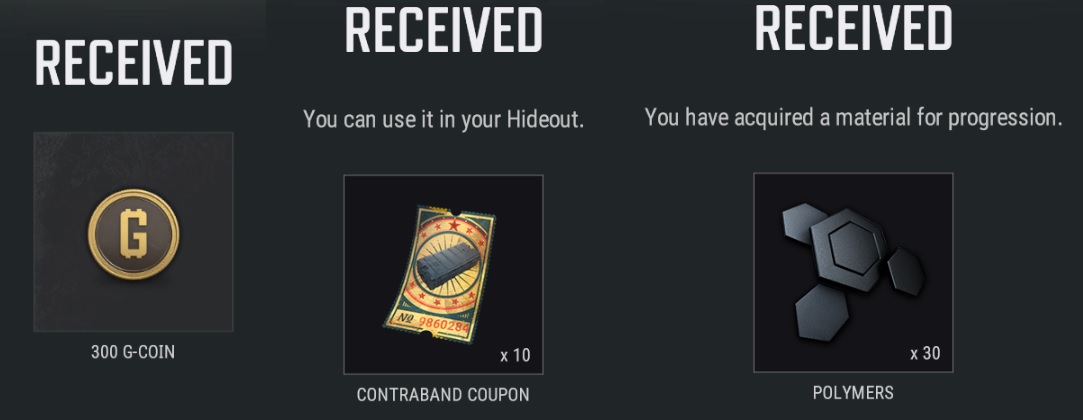
I also recieved:
Silver G-Coin Box with 300 G-Coin – You ahve 5 years to spend it.
Contraband Coupon x10
Polymer x30
PUBG Battlegrounds – Kingmaker Skin – Extra Reward
PUBG Battle Points (BP)
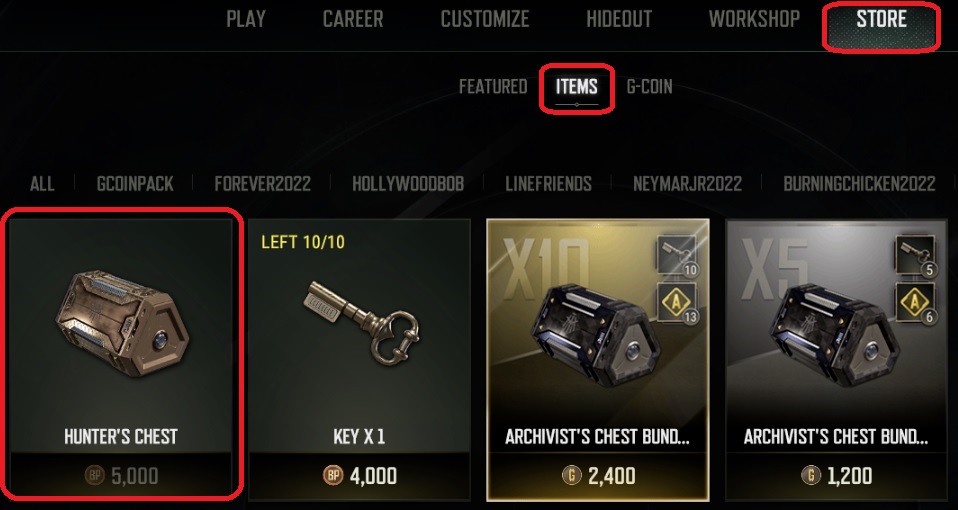
By just playing the game, completing objectives and daily/weekly tasks you will earn BP. You can then use the BP to buy In-game items from the item shop.
The main item you will be buying with BP will be the Hunters Chest, shown here. The chest, when opened will grant you a FREE item.
PUBG Battlegrounds – Hunters Chest – FREE Item
Complete PUBG Tasks
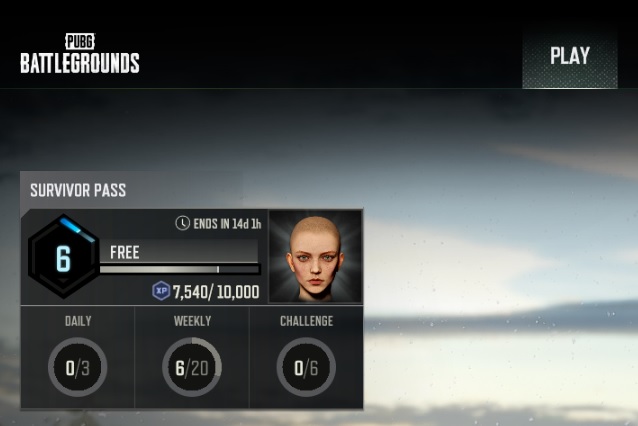
Keep track of the daily and weekly tasks that are offered to you. Some are for items while others will be for BP or on the rare accession G-Coin. You can find this on the main menu screen, top left side.
PUBG Battlegrounds – Daily / Weekly Tasks
Paid surveys, Watch videos, or Complete offers
There are several sites offering In-game currency, Skins, items for completing tasks and offers, watch videos, play mobile games, test software and more…
NOTE: Always background check the legitimacy of these sites and NEVER EVER give anyone your password to your account.
Here are some of the sites I have used with no trouble, but do your own due-diligence
Idle Empire – Offers a huge array of things to do, videos to watch, games to test and platforms to receive your rewards.