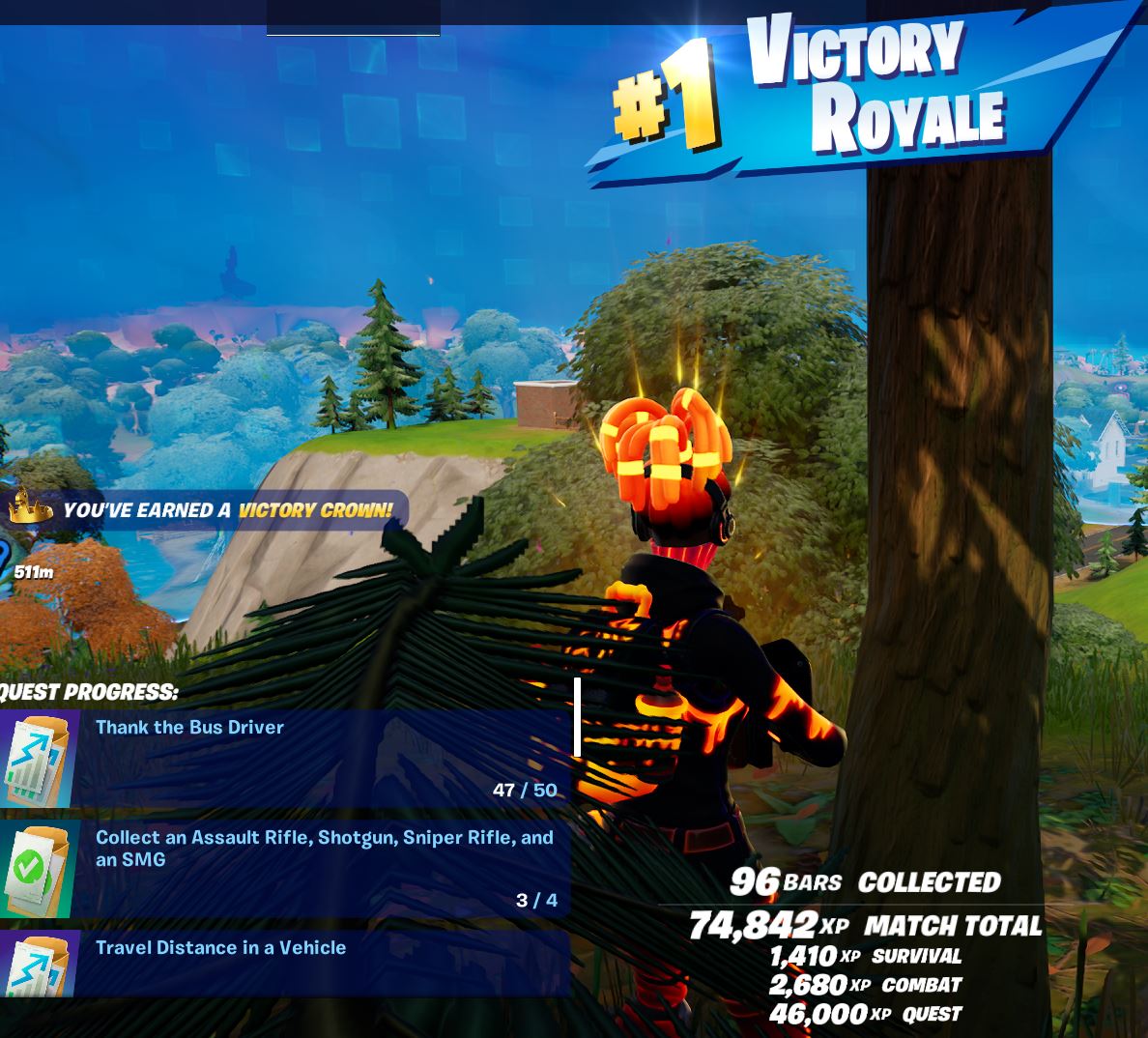
Today, I got my first Solo Victory Royale on Fortnite. It was a sweet victory and as I recall my days playing Doom, Half-life and Unreal Tournament the hand/eye coordination skills required to play such fast paced twitch games started to return. Fortnite is a new breed of First-Person shooter and is a faster pace than the old school games of the 1990’s and early 2000’s I am used too, so this took some getting accustom too.
After settling into a rhythm and getting the hang of the keyboard controls it was time to do some killing. I still have a long way to go as my skills are very rusty but as I can’t get the hang of the Fortnite Build Games, these will take more practice. Fortnite is still based on the old-style Half-life and Doom but just updated with some new cool features. Even if am not the fastest gun in the west i can still use some of my old tactics too beat the new wave of players.
There are also weapons to discover and learn what combinations are best for what situation, the best drop locations to find the best weapons and NPCs to interact with. Some NPC will act as a shop selling items for gold and others you can hire like a Fortnite Mercenary, these are great for confusing the opposition.
How to get a Victory Royale in Fortnite
Once you have the basics covered and you start getting some Solo
Getting a Victory Royale is not an easy task in Fortnite and does require a good knowledge of the game mechanics (what gun is best used for what situation), the local terrain that you are in and what items can you expect to find and where. Knowing if there is a chance to find a Med-Kit or a Shield Pot in a building or not can be the difference between winning and losing.
Once you have the basics covered and some Wins under your belt its time to team up with friends and try your skills at Duo Victory Royale or even Trio Victory Royale
I will be putting some guides together as i learn more about how to compete with the best players
Fortnite Fish Locations are a handy thing to know on the Fortnite Island. In this post you will find all the best locations to catch fish and what is needed to catch Fortnite Fish and about the new Chapter 4 Reality Augments, Jelly Angler.
Fortnite fishing is not limited to just getting fish, you can also fish some rusty cans, old boots, ammo and if your lucky weapons! Some of the fish require a “Pro Fishing Rod” or a “Harpoon Gun” and we will cover this further down in the blog so you will become a Fortnite Fish Locations Pro. So far in Chapter 4 Season 1 i have only seen the “Common Fishing Rod”
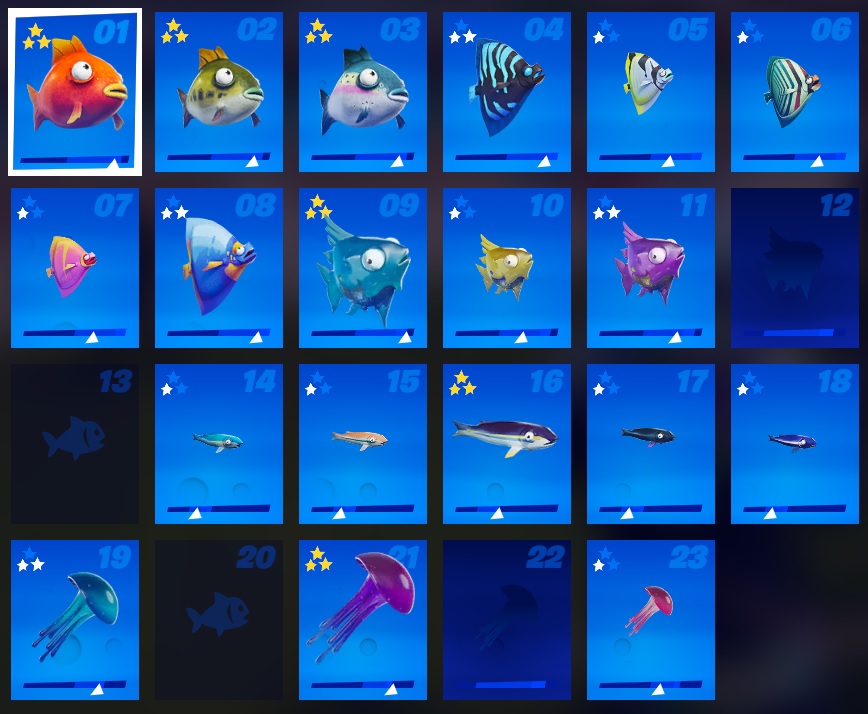
These are the fish from Chapter 3, as tracking the fish as a collection doesnt seem to be in Chapter 4 Season 1 yet. But they are all still fishable, Fishing Rods are still found in fishing barrels and near docks and harbours.
Fortnite Fish Collections
What do i need to Fish in Fortnite?
Only the Common Fishing Rod is available in Chapter 4
To Fortnite Fish you are going to need one of three items, a Fishing Rod, a Pro Fishing Rod or a Harpoon Gun. Fishing Rod’s you will find in Fishing barrels near the water’s edge area, on piers or jetty, but like the Harpoon Gun can also be found just laying around on the floor like other Fortnite items.
Fortnite Fishing items – Fishing Rod – Pro Fishing Rod – Harpoon Gun
Fishing Rod – Common find, will catch Common and Uncommon fish. Fishing time, 1-10 seconds.
Pro Fishing Rod – Catches Rare and above fish, Increased chance of catching better weapons and fish. Fishing time, 1-10 seconds.
Harpoon Gun – Catches Rare and above fish, Increased chance of catching better weapons and fish. Harpooning time, 1 second.
Note: Harpoon Gun can also be used to grab weapons and items from a distance or do damage to buildings or players
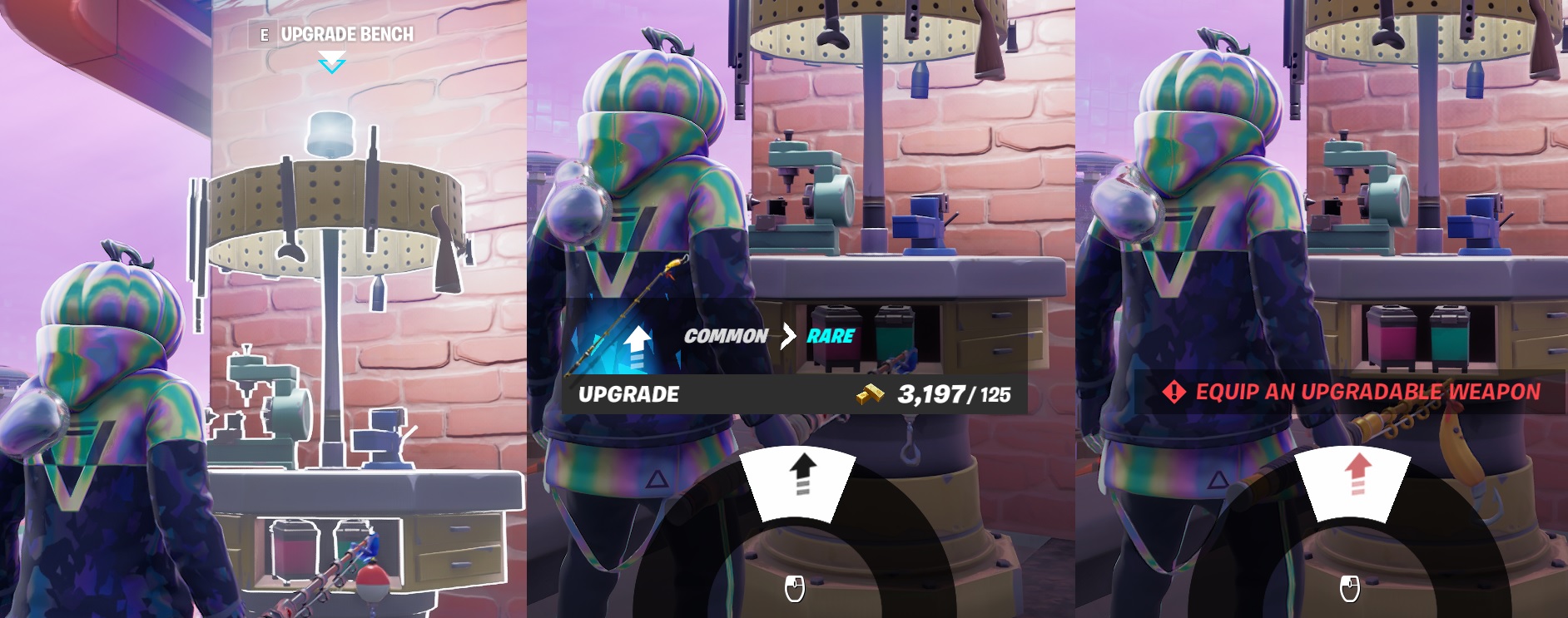
Note 2: Common Fishing Rod can be upgraded at a Work Bench to Pro-Fishing Rod for 125 Gold
The Harpoon and Pro Fishing Rod are blue rarity items with the Fishing Rod being grey/common. You will need one of the blue Fishing items to catch some of the fish, these fish are covered in a table below.
How to Upgarde a Fortnite Fishing Rod
So far this is NOT possible in Chapter 4, Sad days!
If you can only find a Common Fishing Rod and need the Pro Fishing Rod you can actually use an “Upgrade Bench” to update the Rod to blue rare quality. Find a Upgrade Bench, equip the rod then use the bench when close.
Fortnite Fish – Upgrading Fishing Rod
How do I catch a Fish in Fortnite?
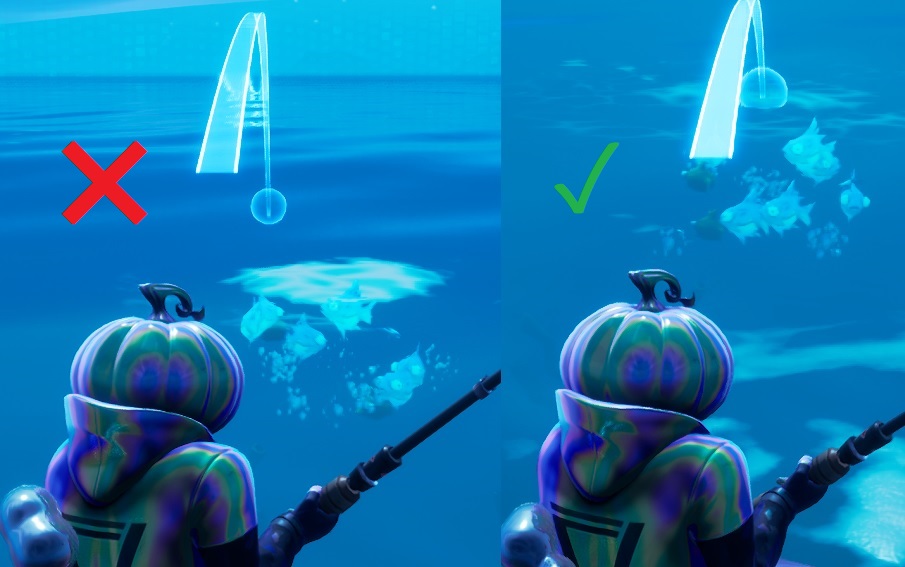
Like all equitable items in Fortnite, you need the fishing item in your inventor, select it like you’re selecting a weapon. Now with the Fishing Rod equipped and ready to go find a school or shoal of fish at any of the Fortnite Fish Locations best suited to the fish you wish to catch.
Fortnite Fish – School or Shoal of Fish
Click and hold your fire button to aim the rod, you’re aiming for the centre of the School/Shoal, release to cast the line out, you’re aiming for the centre of the group of fish you have found. If you cast your rod to open water with no group of fish you are more likely to get rusty cans, ammo and the odd weapon.
If you have a Pro Fishing Rod you can get rare and above grade weapons. Looking for Rare and Epic weapons does not need a fish School/Shoal and so doesn’t not need a special Fortnite Fish Location, fish anywhere!
Fortnite Fish – Fishing Rod Casting
Different fish need different Fortnite Fishing Locations, you can find this out by clicking on the fish in your Fish Collections screen. This will give you an idea of where to go, when and what you will need.
So far in Chapter 4 Season 1, we have no collections yet.
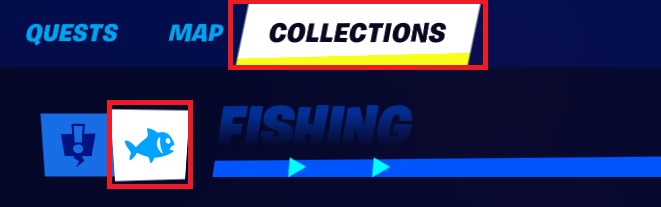
Navigate to the main menu, where the Quests and Map are located. Clock on the Collections Tab then the Fish icon so see your Fishing progress.
Fishing Collections have been removed in Chapter 4
Fortnite Fish – Collections Menu – Fishing Collections have been removed in Chapter 4
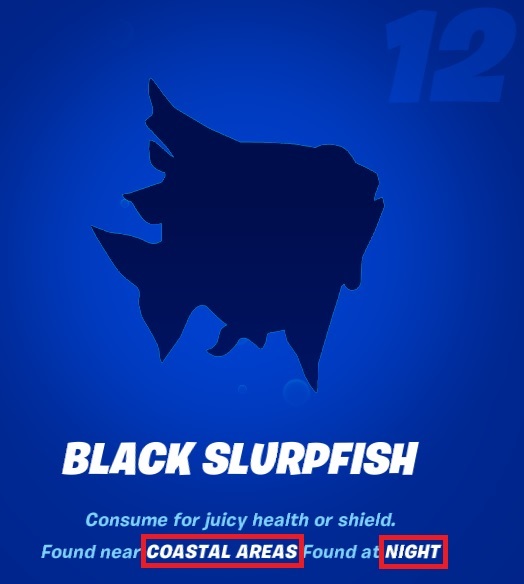
You can see here on the Black Slurpfish, you will need to fish on the coast anywhere around the outskirts of the island and at night.
Fortnit Fish – 12 Black Slurpfish
What is the Fortnite Reality Augment, Jelly Angler?
This Reality Augment gives you a Common Fishing Rod, but this rod will ONLY catch Jelly fish. The Jelly fish is a 3 stack fish that works like a chug splash and will increase HP and Shields by 40pts to you and everyone close by.
You can use this rod anywhere but still aim for the pools of fish to get a higher change to catch them faster!
Fortnite Fishing – Jelly Angler – Reality Augment
What are the best Fortnite Fish Locations?
As of Chapter 4 Season 1 there are no fishing collections anymore, sad days.. You can fish if you find the fishing barrels but there is no fish tracker like in previous seasons. The information here is based on the historic fishing locations and will probably be following the same theme
There are 5 areas that you will need to fish at, the different areas will give you a better chance to catch that fish you’re looking for, these are:
Coastal – Anywhere on the outside of the Island
Desert – To the west fo the island
Forest – The rivers running through the green areas
Mountains – Costal area closest to the Mountains, the lakes seem all froven
Swap – Not much of a swamp on the new map
Fortnite Fishing Locations – Chapter 4 Season 1
What do the Fortnite Fish actualy do?
Fortnite Fish will replace your health and/or shields. Some fish only do health, some only do shields but some do both. Its good practice to know what one’s will give what benefit. Those that replenish both, will replenish health first so you don’t want to eat one that is health/shields if you also have health only ones.
Eat the health only ones first, then health shield, this way you get the max benefit.
All fish have an eat time of 1 Second, so they are much better option than bandages or shield pots but just harder to come by.
IDEA: Would be good to see some sort of benefit if you took the fish to a camp fire to cook them. After all you are eating raw fish!
Complete Fortnite Fish Locations and Comparison
You will need one of the Blue Fishing items to catch some of the fish, covered in a table below.
Finding free browser based online games for the kids to play these days is no easy task. I lot of sites are inapproprate for children and sometimes contain viruses, Malware or Crypto minering software. The internet is not a safe place so always check so called free sites with the Google Safe Browsing site status before you or the kinds start playing.
After searching for sometime i came across Plays.Org – Play Our Free Browser-Based Online Games It Passed the Google Safe Browsing test so i got stuck in, i think i have spent more time playing the games then the kids have!
For free games i was really supprised at the quality of the content they have and i found myself reminiscing about games gone by that these reminded me of, nothing to be concerned about, just shwoing my age as iam taking about games on the Atari ST from the 1980’s
So far i have tested the games on Windows 10, iPhone 2020SE and my old Ipad 4th Gen. Only 1 game gave me any problems.
My Top 5 Games on Plays.org
Here are my 5 top favorite games on the site in no paticular order.
TIP: To get the larger full browser version, look for the text below the game like this, click on the “here”
Endless Siege – Tower Defence Game Online
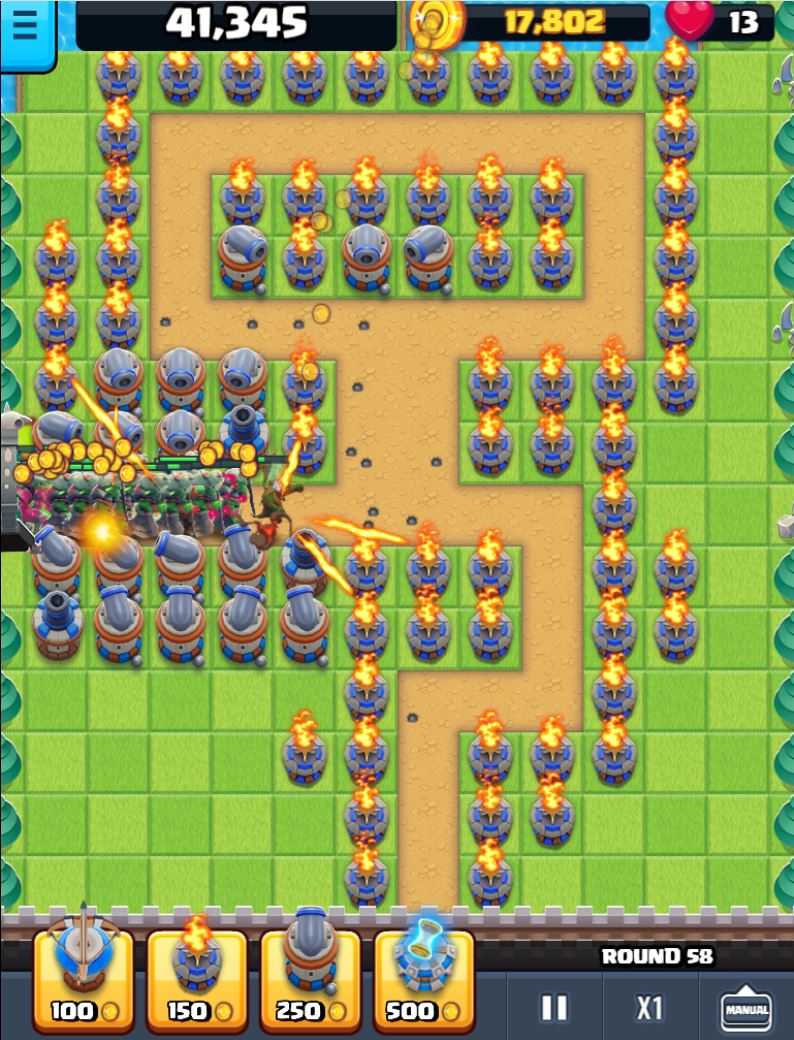
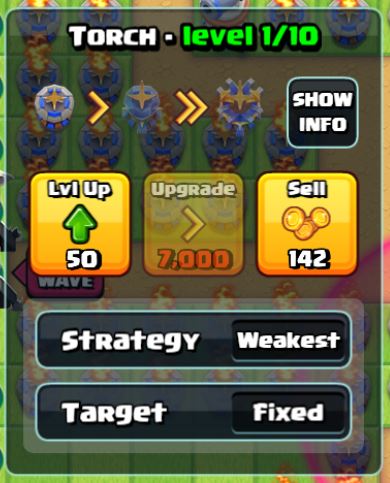
If you have never played a tower defence game this is a great place to start. You will find yourself hooked on TD Games and be coming back for more. It has a map rotation system so you get a new one every day. And dont forget to upgrade your Canons!
Star Wars – Rogue One – Boots on the Ground
An arial view shooter where you take control of a unit of rebels to complete missions to assist the allience. Its fairly easy to get into with its “point and click” controlls but keeps you hooked enough that you want to keep completing missions and getting unit upgrades. This one is reminded me of Syndicate (1993 video game)
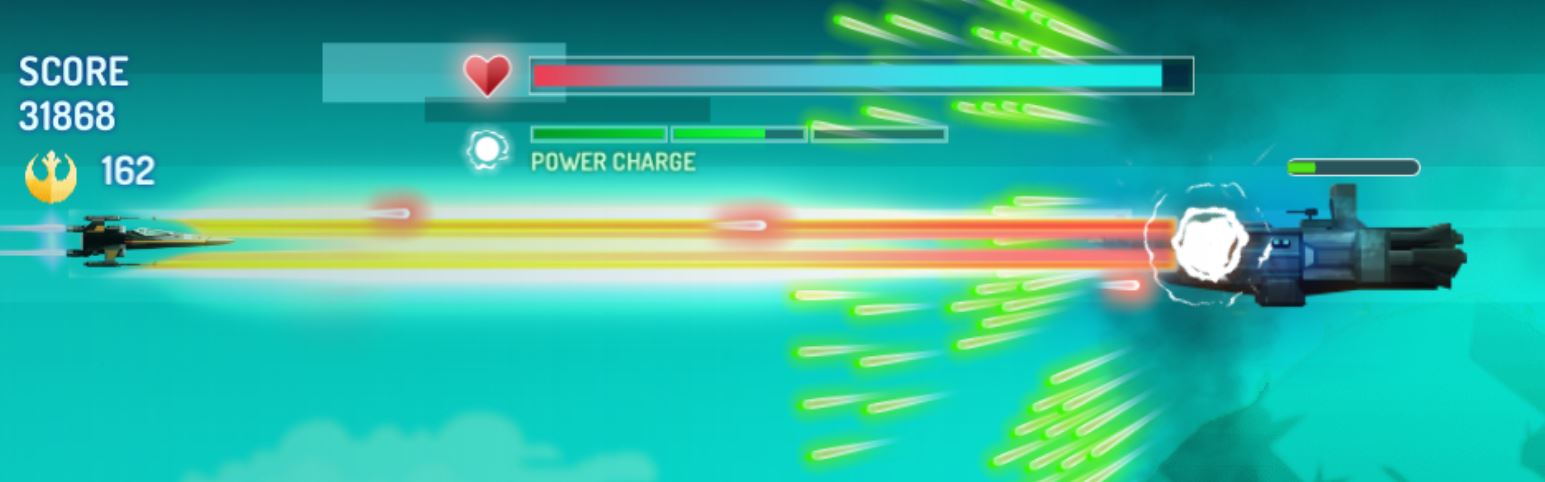
Star Wars – X-Wing Fighter
I liked another Starwars game on Play.org, come on, who doesnt like Star Wars? This time an X-wing game in the classic style of defender but now you can be an X-Wing with super power ups, huge lasers and even upgrade your X-wings health, Laser power and Laser speed. The cut scenes are well done and the accompanying music is tarrific are really gets you going.
Zombie Typing
This had me chuckling to myself as i shot my way through hordes of Zombies not by my “shoot ’em up” skills but my speed typing skills. This will be great for the kids to learn to type but have fun at the same time. Graphics are very cartoonish and so i didnt find them scarey at all so i was fine with my kids playing this.
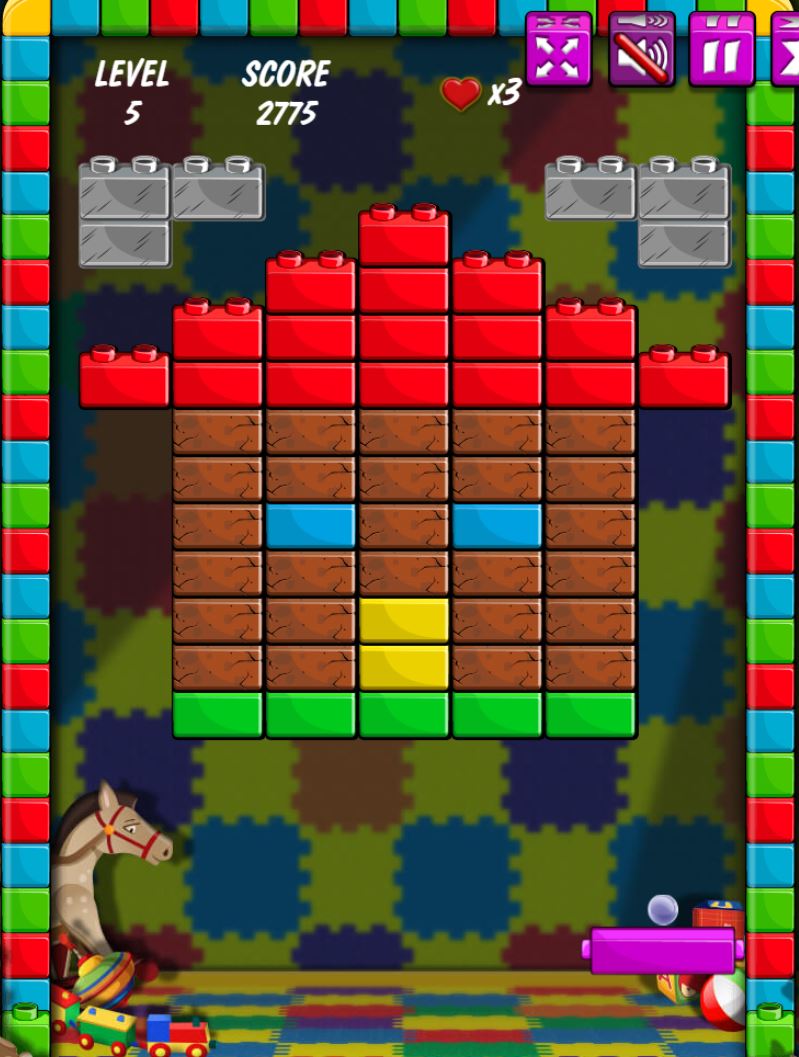
Brick Out
Another classic! A bat, A ball and some bricks. I first played this style of game on the Atari 2600 console, it was called Super Break out. This versions does justice to those early versions with all the classic mods and upgrades with a few new ones in for good measure.
The best budget graphics cards for gaming in 2021 need to play any of the current new games available. A Budget GPU 2021 may not play all games in their full glory but it will play them. There is nothing worse than getting a new game, installing it and finding the game plays like a slide show even on minimum settings.
This price range of budget graphics cards that will play the latest games has always been around the $200-$330 (£150-£250) range. Anything less and you run the risk of games not working and so Gaming becomes disappointing. I would recommend selecting a Graphics Card in this range or above.
What are the best affordable budget graphics cards for gaming?
This actually depends on the budget but if we focus on available cards (2021) that will play current games, we need to consider a few things. Some of the considerations are just personal preference, like Nvidia or AMD.
Here are my top-rated budget Graphics Cards in 2021 that will play most of the top games at a good frame rate.
Gigabyte Nvidia GeForce GTX 1660 SUPER GAMING OC 6G
MSI Nvidia GeForce GTX 1660 Gaming X 6G
Gigabyte Nvidia GeForce GTX 1650 SUPER OC 4GB
MSI Radeon RX 5500 XT MECH 8G OC
XFX Radeon RX 580 GTS XXX Edition OC 8 GB GDDR5
ASUS ROG Strix Radeon RX 570 OC Edition 8 GB
[amazon table=”7984″]
Gigabyte Nvidia GeForce GTX 1660 SUPER GAMING OC 6G
My personal favourite and what i currently have in my Gaming Rig. The Gigabyte Nvidia GeForce 1660 Super is an amazing card for top of the budget graphics cards and will play most of the top games at decent detail on a good frame rate. It sports 3 fans and this made it my choice, 3 fans need to spin slower than 1 fan for the same cooling effect, this makes the card very quiet, but does make this card the largest in this range.
[i2pc show_title=”false” title=”Pros & Cons” show_button=”false” pros_title=”Pros” cons_title=”Cons” ][i2pros]3 Fan Design means quiet gaming Great 1080 Gaming performance Screen Outputs: 1x HDMI 3x Display Port Power Efficient[/i2pros][i2cons]Large Card Top end of Budget GPU[/i2cons][/i2pc]
[amazon box=”B07ZPL9LX5″ template=”horizontal”]
MSI Nvidia GeForce GTX 1660 Gaming X 6G
Here we have the MSI Nvidia GeForce 1660 version of the 1660 Gaming Card, but not the “Super” version. This time presented in a smaller sized card with just 2 fans as with lower clock frequencies creates less heat. This makes it easier to fit into medium computer cases but will be slightly louder when under full load. If playing high resolution games for extended periods of time, in hot weather, expect those fans start spinning fast!
[i2pc show_title=”false” title=”Pros & Cons” show_button=”false” pros_title=”Pros” cons_title=”Cons” ][i2pros]Great for Meduim sized cases Great 1080 Gaming performance[/i2pros][i2cons] Top end of Budget GPU Too close to Super Price TDP more then Super[/i2cons][/i2pc]
[amazon box=”B07P66WG5D” template=”horizontal”]
Gigabyte Nvidia GeForce GTX 1650 SUPER OC 4GB
This is an exellect choice from the list of budget graphics cards for a Gamer with a small case. It could even be used to convert your small form factor office PC into something to play games on then you can’t go wrong with this card. It will fit most of the popular office system PCs but please check with your manufacture before buying.
Due to the Gigabyte Nvidia GeForce 1650’s reduced spec over the 1660 Super it requires a smaller heatsink allowing it to fit into those smaller cases. This does however impact on performance, but not as much as you would think.
[i2pc show_title=”false” title=”Pros & Cons” show_button=”false” pros_title=”Pros” cons_title=”Cons” ][i2pros]Single Fan design will fit small cases Convert your office PC for Gaming Good Price V Performance Only 75W TDP[/i2pros][i2cons] Will only do Min detail on some games 4GB – Could limit some games 3 Display Outputs [/i2cons][/i2pc]
[amazon box=”B0829CH63P” template=”horizontal”]
MSI Radeon RX 5500 XT MECH 8G OC
The MSI Radeon RX 5500 XT is a similar price and performance to the Nvidia 1650 Super model but boasts an increase to 8Gb RAM. 8GB is great if matched to a higher spec processing core but this extra RAM does nothing for you if you are running lower resolutions. If the card can’t run the higher resolution due to speed there is no need for the memory.
Given the choice at this price range i would be looking at the Nvidia 1650 range of budget graphics cards.
[i2pc show_title=”false” title=”Pros & Cons” show_button=”false” pros_title=”Pros” cons_title=”Cons” ] [i2pros] 8GB VRAM Great texture and shadow detail [/i2pros][i2cons] Simulare performance to a 1650 High TDP usage [/i2cons][/i2pc]
[amazon box=”B082Q1ZFNX” template=”horizontal”]
XFX Radeon RX 580 GTS XXX Edition OC 8 GB GDDR5
The AMD Radeon RX 580 GTS is a hugely popular, readily available card that still does well on most of the new games. Its signifyingly older than the other cards here and this is reflected in the price. It is recommended that a 550w PSU is fitted as the card uses 185w, this is the highest running costs of all the cards here.
When looking at budget graphics cards I would always recommend buying the latest chipset models for your budget. This will more often than not support higher levels of DirectX, be more power efficient and will have newer features.
[i2pc show_title=”false” title=”Pros & Cons” show_button=”false” pros_title=”Pros” cons_title=”Cons” ] [i2pros] 8GB RAM Tried and tested card [/i2pros][i2cons] High power requirement (185w TDP) Ageing Model [/i2cons][/i2pc]
[amazon box=”B06Y66K3XD” template=”horizontal”]
ASUS ROG Strix Radeon RX 570 OC Edition 8 GB
The ASUS ROG range are IMHO the pinnacle of Gaming kit and the Radeon RX 570, 580 etc where great cards closer to their launch date. Unfortunately, newer cards now yield more performance with less power requirements than this card.
[i2pc show_title=”false” title=”Pros & Cons” show_button=”false” pros_title=”Pros” cons_title=”Cons” ] [i2pros] 8GB VRAM Tried and tested card [/i2pros][i2cons] High power requirement (150w TDP) Older card with the same $$$ and less performance [/i2cons][/i2pc]
[amazon box=”B07XH69LKM” template=”horizontal”]
Comparing the Nvidia GeForce 1660 Super, 1650 Super vs AMD Radeon RX 5500, 580 GTS, RX570
Ultimately Nvidia’s GeForce and AMD’s Radeon series of cards are setting out to do the same thing, both display great graphics at a great price. They both do this in a slightly different way, Nvidia has what’s called CUDA Cores and Radeon uses Stream Processors, these in turn have a core frequency and the memory utilised by them has a type (GDDR) and speed (1500-2000Mhz) rating.
Both Nvidia GeForce and AMD Radeon cards render the picture you see on your display in a slightly different way. This always seems unfair to compare like for like on the hardware level (Cores vs Stream Processors etc) so I should always compare on real world results like playing actual games.
FPS are calculated by taking the average FPS from 100s of system test with game settings on Max detail at 1080p
Video Out Puts
Recommended PSU Requirement (Watts)
TDP (Watts)
Fortnite Effective FPS using Intel 9600K CPU
VRAM
Gigabyte Nvidia 1660 Super
1x HDMI 2.0b 3x Dispaly Port 1.4
450
120
116
6 GB
MSI Nvidia 1660
1x HDMI 3x Dispaly Port
450
130
101
6 GB
Gigabyte Nvidia 1650 Super
1x HDMI 2x Dispaly Port
300
75
93
4 GB
MSI Radeon RX 5500
1x HDMI 2.0b 3x Dispaly Port 1.4
450
130
84
8GB
XFX Radeon 580 GTS
1x HDMI 3x Dispaly Port
550
185
83
8GB
ASUS ROG Radeon RX570
1x HDMI 2.0b 1x Dispaly Port 1.4 2x DVI-D
450
150
61
8GB
What to consider when searching for the best budget graphics cards in 2021?
There are so many choices when it comes to budget graphics cards (GPU) and not all cards are made equal, even on the same chipset. Here is a list of things you should consider when choosing a GPU.
Nvidia or AMD
RAM Size
Power consumption and power connectors
Noise level
Display out puts
Physical size of the card
All these are cover in more depth on my GPU Explained page.