GPU

PC Computing GPUs
Gaming PCs (Gaming Rigs) or Gaming Laptops are a completely different ball game to Gaming on Consoles. With a console (Xbox, PlayStation etc) you buy the console and then purchases games for that console and away you go, you’re up and playing in no time.
However, those games are bound to that generation of console and can’t be used with other consoles, it’s only been in recent years that we now see backward compatibility with new to old consoles and this is still not 100% perfect.
Gaming on a PC/Laptop can sometimes require specialist skills and hardware like dedicated Graphics Cards (GPU, Graphical Processing Unit) to play the game you want but offer you a much longer gaming experience than consoles with a much larger selection of games.
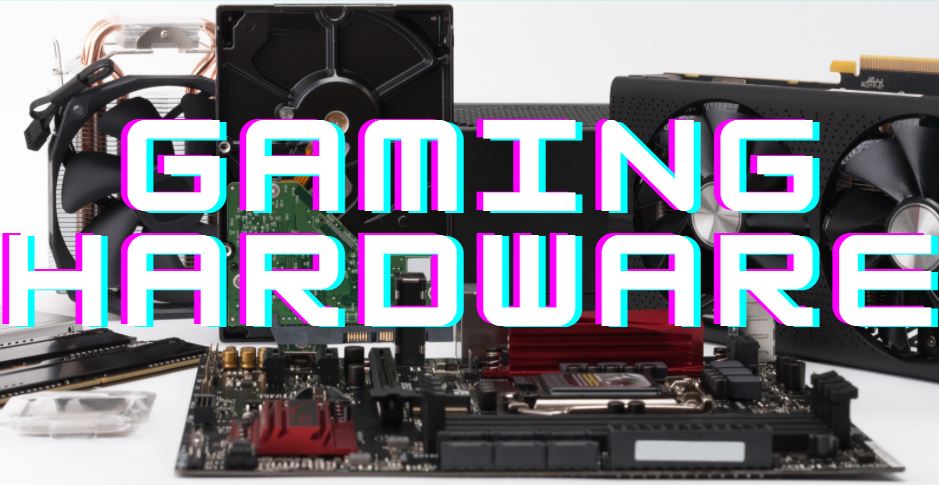
You will need to decide on a verity of gaming hardware to buy, such as AMD or Intel (CPU), Nvidia or AMD (GPU). Here are the items you may need to think about. I would defiantly recommend deciding on a budget first them splitting that amongst the components. Place 20% of your hardware budget to the GPU
Graphics Cards or GPUs (Graphical Processing Unit) – This renders the graphics you will see in the game. Better the card, better graphics will look
Screen (Monitor) – The item most people associate with a Computer, the thing you look at.
CPU (Central Processing Unit) – This takes care of all the instructions from other parts of the computer, the player, other players (on the internet), NPCs and tells the GPU what to display and when and then links them all together. Hence its name
Motherboard (Mobo, Mainboard, Circuit Board, System Board, Baseboard) – This component houses the CPU, GPU, memory and links them all together on a physical level.
RAM (Random Access Memory or just Memory) – This is where the computer holds the information about the current tasks it is doing. This of this like your “short term memory” and is emptied/cleared every time you switch off your PC or reboot it.
HDD (Hard Disk Drive), SSD (Solid State Drive) – This item is often confused with RAM but holds information about the Operating Systems (OS) and Apps you want to use rather than using at the moment. Think of this like your “long term memory” It’s always available to you and when you need it and when needed its loaded into RAM. The HDD/SSD retains its data even when switched off.
PSU (Power Supply Unit) – These feeds the computer with power, it takes in mains power (240v or 110v depending on where you live) and outputs what the computer needs (3.3v, 5v and 12v). The amount of power is measured in Watts and the number of watts needs to be calculated otherwise your PC will not run efficiently.
Mice and Keyboards – Sometimes overlooked is the humble mouse and keyboard. Used as the interface between human and computer and can be the difference between “kill or be killed”
Case (Mid Tower, Full Tower, Compact Cases, Desktop) – For me these are functional items that you mount all the components in, but for others they show case their PC and they are works of Art.
Headsets, Mic’s and Speakers – If you want to be noticed on the gaming scene and play in teams then Headsets with good quality mics are essential. There is nothing worse than someone using cheap ear pods with a bad mic picking up all the background noise around you so nobody can hear what you are saying.
Gaming Chairs – probably the single most over looked item to buy and something you will eventually need for those long gaming hours.
The main difference in Gaming Hardware over a standard PC is the GPU and the PSU.
The GPU is the part of the computer that creates the fantastic worlds the gamer wishes to immerse themselves in, a regular computer will have a integrated or discrete video output. The PSU supplies power to the components in the computer, often Regular computer will have a much lower wattage PSU than a gaming one.
Without a good GPU the games will look bland and have low detail, the screen will judder and look more like a slide show than a movie and in most cases will just not work at all.
The GPU is not the only part of the PC that is important in gaming. If you want a top-class Gaming Rig then you will need to look to all the parts of the computer, the CPU, Mobo, RAM and disk. You may also need to look at custom cooling if you want to go extreme Gaming.
Without delving in too deep into this question it basically comes down to 2 points.
If you answered, Yes then No, it’s a laptop then. If you answered, No then Yes, it’s a Desktop Rig as you will get more for your money
[i2pc show_title=”false” title=”Pros & Cons” show_button=”false” pros_title=”Laptop Pros” cons_title=”Laptop Cons” ][i2pros]Portable
Small foot print
Built-in Screen[/i2pros][i2cons]Costs more than desktop counterpart
Performance will be lower than a desktop for the same spec/cost
Heat is harder to disperse due to compact designs[/i2cons][/i2pc]
[i2pc show_title=”false” title=”Pros & Cons” show_button=”false” pros_title=”Desktop Pros” cons_title=”Desktop Cons” ][i2pros]Higher Spec
Custom Builds
Easyer Upgrades
Larger Screens
Data Storage has more options
Cleaning dust from heatsinks is easyer[/i2pros][i2cons]Fixed location, harder to move about
Larger Foot Print.[/i2cons][/i2pc]
PC Gaming in my opinion is far superior to consoles due to a variety if reasons:
Longevity of Games. Buying a PC game from a DLC site (Downloadable Content) or on a disc means that game is your forever (excluding some subscription games). I can still play games i purchased via Steam 20 years ago on my brand-new state of the art Gaming Rig. Consoles on the other hand have very limited backward compatibility features.
Amount of Games. There are literally Millions of Games for PC from Shoot ‘em up to Sport simulators, the PC has them all.
Better Graphics. what I mean here is that with a PC and when your budget permits you can buy a new graphics card and instantly see an improvement in your game but increasing the detail, textures and view distance within the game. With a console you cannot do this and are limited to what the game producers can get out of the console by optimising the code.
PC are versatile. where a console is limited to playing games, on a PC you can do a whole lot more much easier. With a keyboard and mouse at your fingertips a PC can be used for a much wider range of activities. PCs can also be easily upgraded so once you have a PC it is very easy to add or replace parts to make it better and faster.
Educational. PC have a lot more educational applications available to them including “learn as you play” games where consoles are aimed at mainly playing games.
Skills for Life. Learning how to design, build or even just use a PC are skills for life. The fundamentals of PC’s are still the same as they were when Windows 3.1 came out in 1992. Learning to use a PC can help you in your everyday life, from buying items on Amazon or eBay to booking tickets for an event or show. Consoles cannot help you with this and they will be on the recycling heap before you realise.
Thanks to the guys at Secretlab as they have offered a £20 discount to the first 2 lucky customers that buy a new chair in the UK
For a £20 discount on UK purchases use the following link
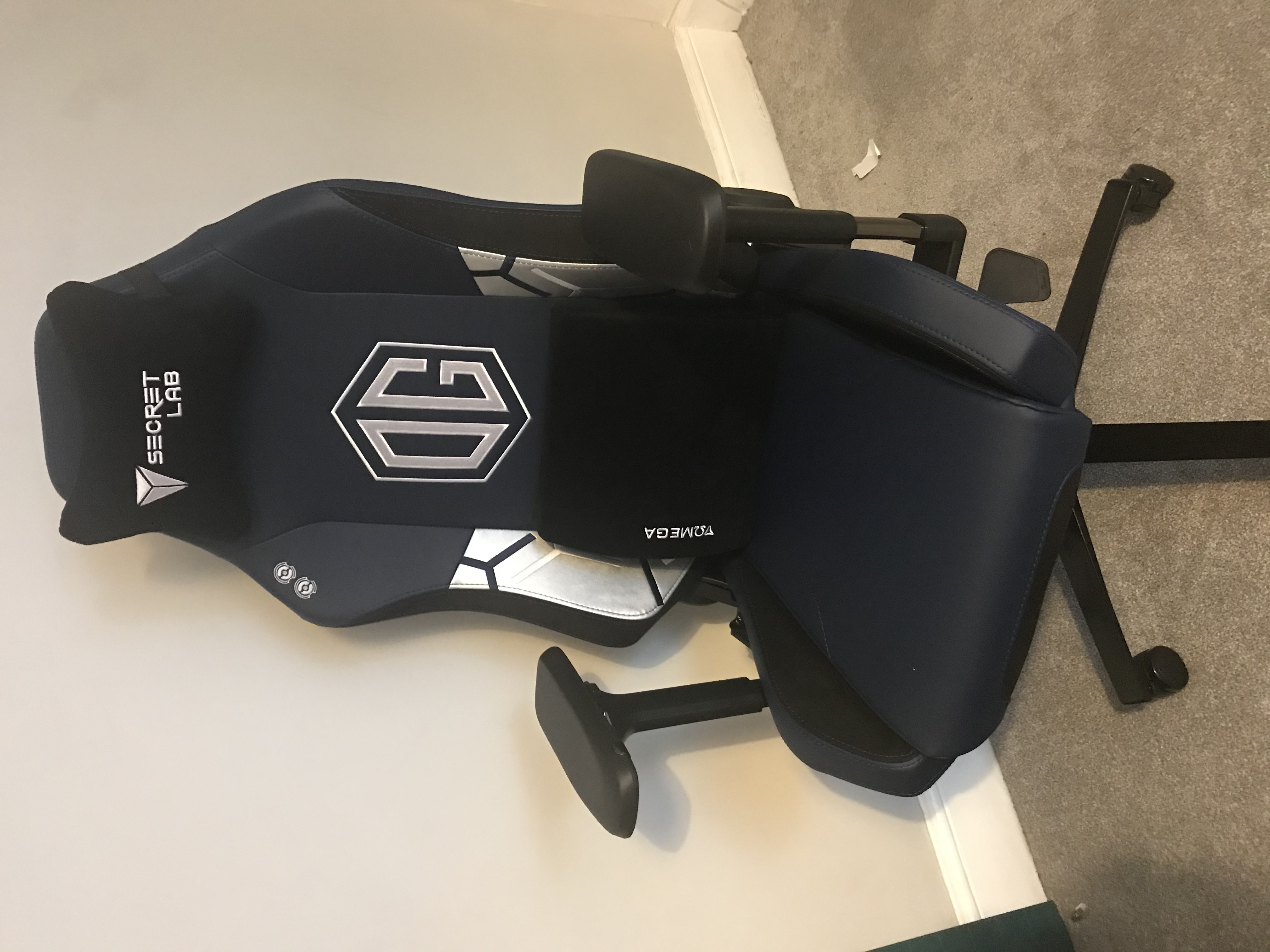
The Secretlab Omega Chair is an amazing bit of kit as far as chairs are concerend. Its has a great construction and the build quiality is fantastic. It has that wounderful new smell as soon as you open the box.
It doesn’t just look like quality, it even smells like quality!
I did my own research and read review after review and watched youtube video after youtube videos of people unboxing and setting up chairs and giving their views on why they purchased that particulare chair. I even looked at some office chairs as well as i will also be using the chair for work in my home office.
My short list of gaming chairs was down to:
It was a close call between SecretLab and Noble Chairs but I finally decided on the 2020 Series – Secret Lab Omega Chair – OG Model
There are a lot of great chairs to choose from and we are spoilt for choice when it comes to gaming chairs so i finalized the logical way, spreadsheet of all the important factors!
| Manufacture | Availability | Does it look Cool | Cost | Warranty | Warranty / Cost = Cost per day |
|---|---|---|---|---|---|
| Herman Miller Embody Chair | 8-9 Weeks | No | £999 | 12 years | 22 pence |
| Secretlab OMEGA 2020 Series | 2-4 Weeks | Yes | £329 | 3 years (+2 year extension) | 18 pence |
| CORSAIR T2 ROAD WARRIOR Gaming Chair | Next Day | Yes | £299 | 2 years | 41 pence |
| Noble Chairs - HERO GAMING CHAIR | 2-3 Days | Yes | £349 | 2 years | 47 pence |
I like to work out how much things cost me per day over the expected life span of the warrenty. When costs are worked out like this it is straightforward to see if soemthing really is good value or not. The costs are calculated to cover the warranty period but i am sure that all these chairs will last way longer than that.
Herman Miller – All though i will be spending a lot of time in my new purchase i just can’t bring myself to spend £999 on a chair, no matter the quality. Lots of the reviews almost suggested if i can’t afford the £999 to seek out a used one or that this is the ONLY option ever to consider. This didn’t sit well with me, LOL and i felt a lot of the review’s seemed fake.
SecretLab – Amazing looking chairs in a price range i felt happy about. 18 pence a day is great value for this quality product and in 5 years i can buy a new one and still have change in my pocket over the Herman Miller model! The tilt option on these is also a winner for me so i can lay right back and watch some movies.
Corsair – Great reputation within the gaming industry and litraly a name you can count on, but it has limited designs/colours and also expensive on the day price.
Noble Chairs – The most expensive chair on day price but also a great looking chair. Has lots of options and colour to choose from but no funky designs.
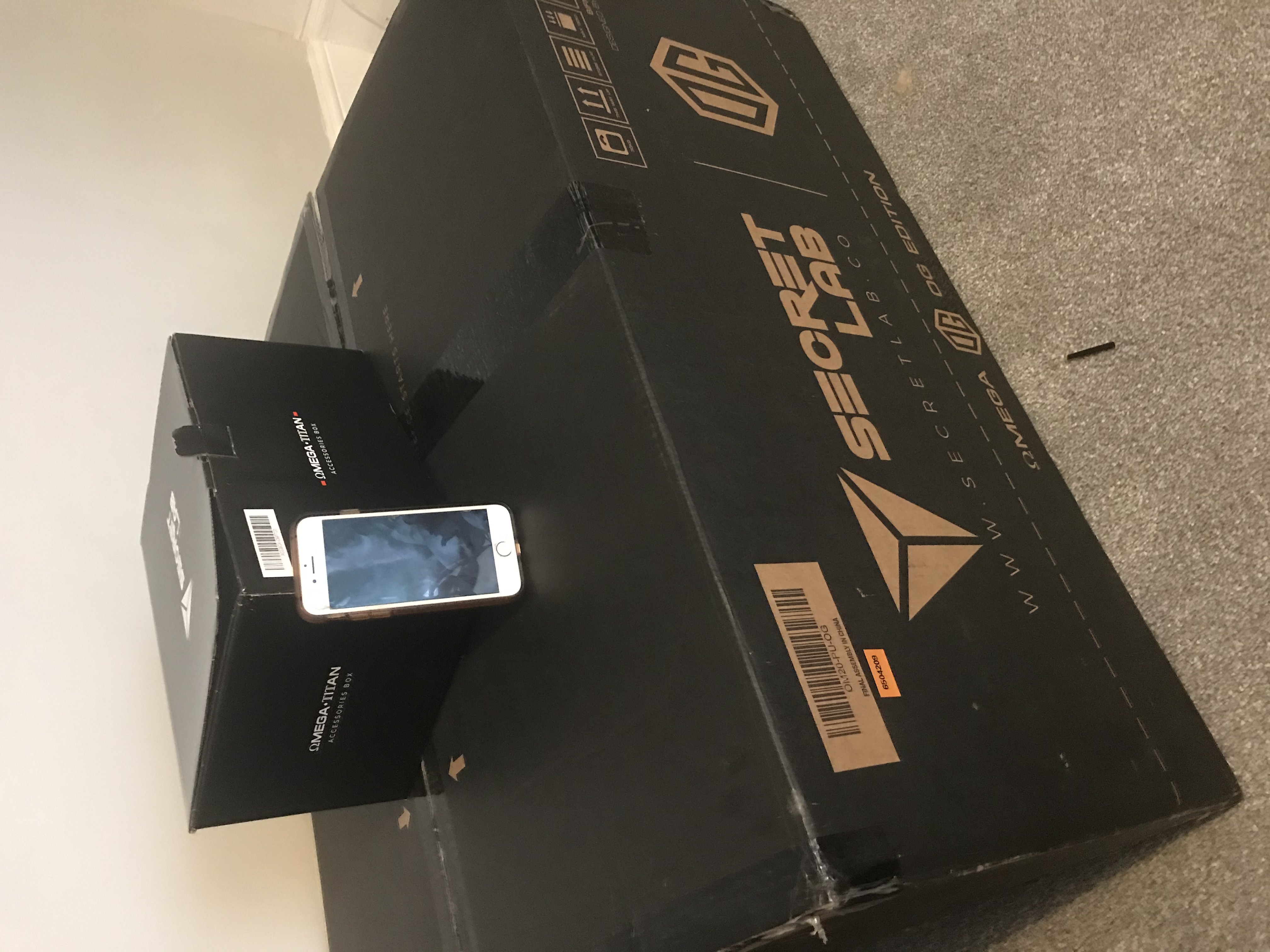
I Purchased my Secretlab Omega Chair, OG Model in June 2020
This is not a full unboxing and assembly review as there are plenty of these on the internet and there own Omega 2020 Assembly Video is great
I was very pleased when my Secretlab gaming chair actually arrived early, it was way sooner than what was estimated on the website when i orderd it. Its comes in a rather large box weighing just over 30KG so be carfull when you try and pick it up.
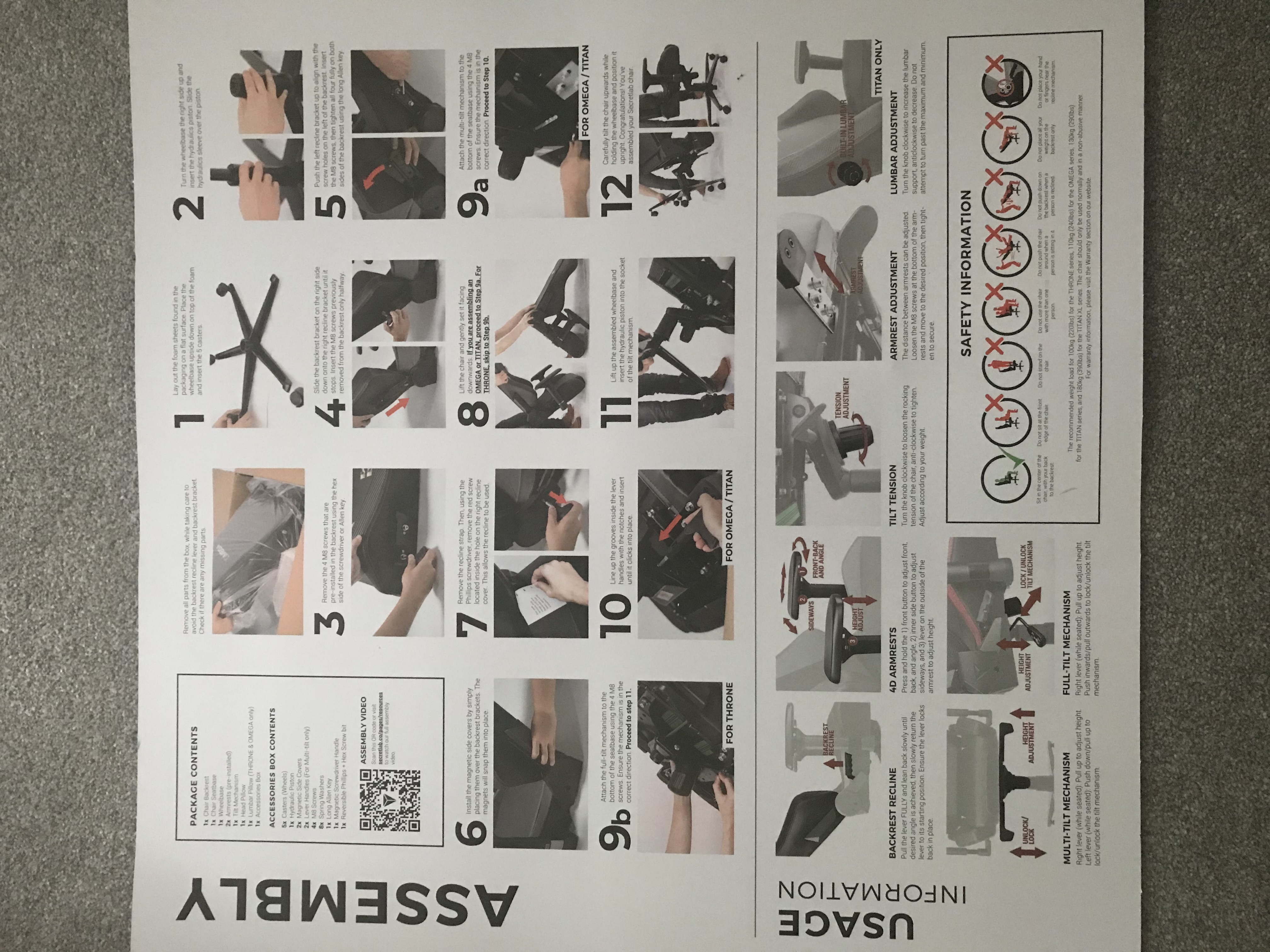
The assembly instructions are great and describes the process well. I completed the full unbox to assembly, unrushed, in about 30mins.
I was being very careful while assembling as there are warning messages on the inside lid explaining DO NOT TOUCH BACKREST RECLINE LEVER. So, you have been warned.
To be honest, this did make me wounder what would happen if i did pull it and it just made me want to pull the lever even more to see what happens. Anyone have any ideas? Please comment…
I have used my Secretlab Omega Chair for just over a week now and in this little amount of time i have noticed a great deal of difference in my posture over its predicessor. I feel the firm seat combines with the soft cushions has really helped me sit correctly.
I certainly dont get those stiff legs when i stand up from sitting for a long time and my back also feels much better as i find myselkf sitting upright more.

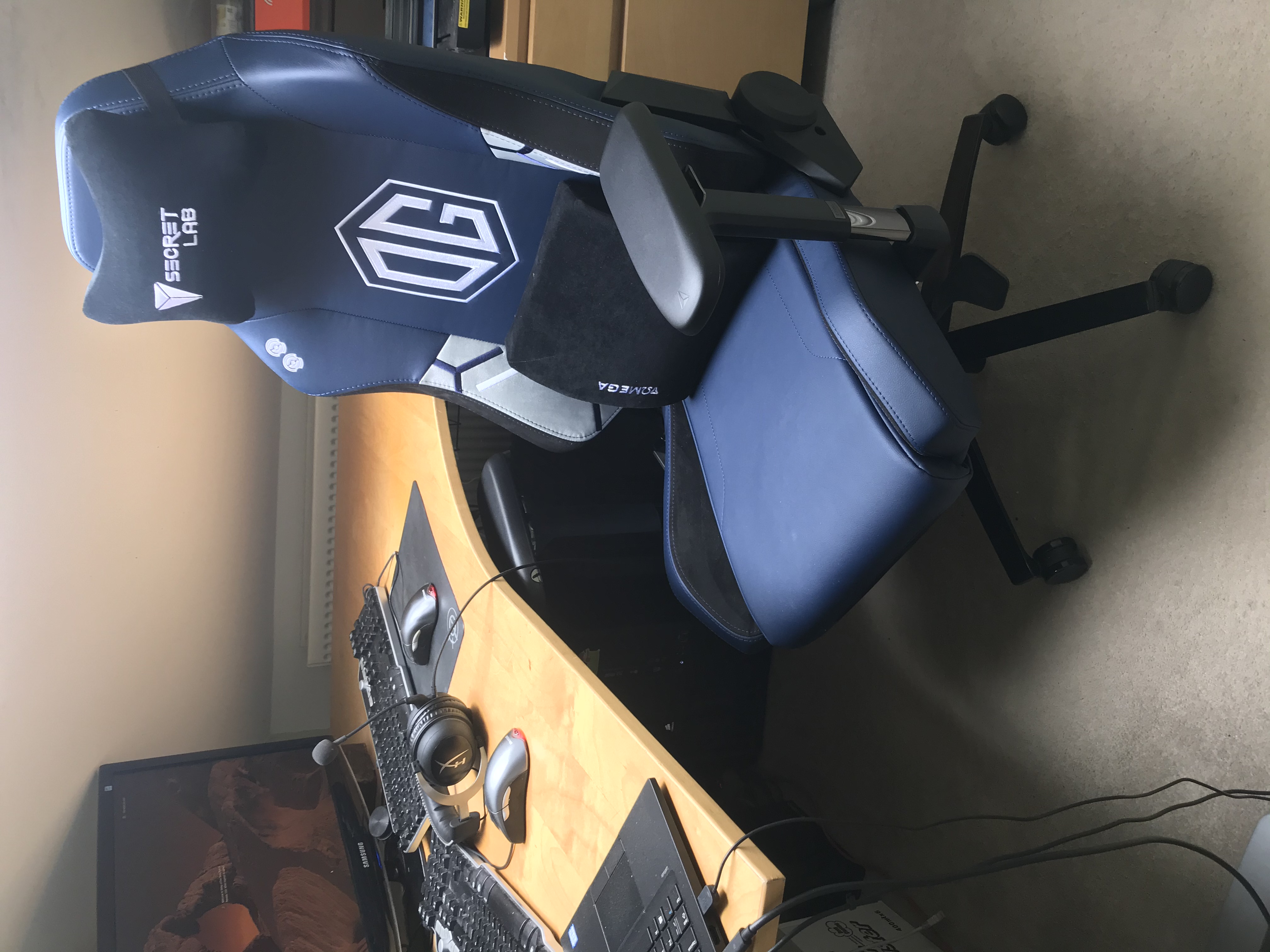
All the Secretlab Gaming Chairs come with a 3 year warranty but can be extended to 5 years if you post a picture of your Secretlabs Chair on twitter or facebook
I think this is a great idea to show off your chair to your friends and it also gets Secretlab some clever advertising and web links back to there website.
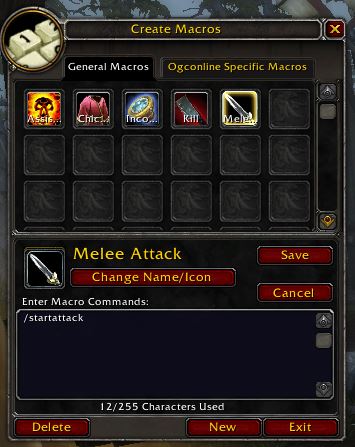
WoW Combat Commands really are an essential part of the World of Warcraft experience, i mean, it has it in the game title, WAR! So as you would expect there is going to be a lot of fighting going on and as such you need to have the right commands at your finger tips.
A lot of the WoW Combat Commands over lap with the WoW Group Commands and even the Raid Commands, so you will find some of the commands listed here and on other pages.
We start here with all the party and raid commands, these are for setting up main assist, main tank and adding markers for players or mobs. These commands are typed direct into the chat window or can be used in WoW Macros setups just like other WoW Commands.
Here you will find all the main WoW Combat Commands, grouping and raiding commands you will ever need, unless your the party or group leader.
| Command | Action |
|---|---|
| /clearmainassist /clearma /mainassistoff /maoff | Clears the current Main Assist |
| /clearmaintank /clearmt /maintankoff /mtoff | Clears the current Main Tank |
| /clearworldmarker /cwm | Clears world markers |
| /ffa | Sets loot to Free for All |
| /group | Sets loot to Group Loot |
| /inv /invite | Invites a player to your party or raid |
| /mainassist /ma | Sets Main Assist |
| /maintank /mt | Sets Main Tank |
| /master | Sets loot to master loot |
| /needbeforegreed | Sets Loot to Need before Greed |
| /pr /promote | Promotes player to party/raid leader |
| /raidinfo | Shows the instances you are saved too and instance ID |
| /readycheck | Ask the group or raid if they are ready |
| /roundrobin | Sets loots to round robin |
| /startattack | Starts Melee Attack. |
| /targetmarker /tm | Sets or clears current target marker |
| /threshold | Sets loot threshold to apply loot rules |
| /uninvite /u /un /kick /votekick | Removed player from party or raid |
| /worldmarker /wm | Allows placement for world markers |
WoW targeting Commands are used to set your focus and let your fellow party or raid members know what targets you are currently fighting or what mobs will be fighting next. They are also used for targeting NPC or players via the commands line for “quick targeting”
If you wanted a quick way to target the Main Tank you could use the command, /target [Player name] where player name is the name of your main tank. This way you dont need to cycle through lists of players or try and click on them amongst a crowd of mobs. Now make this command a /macros and assign to a Hot Key.
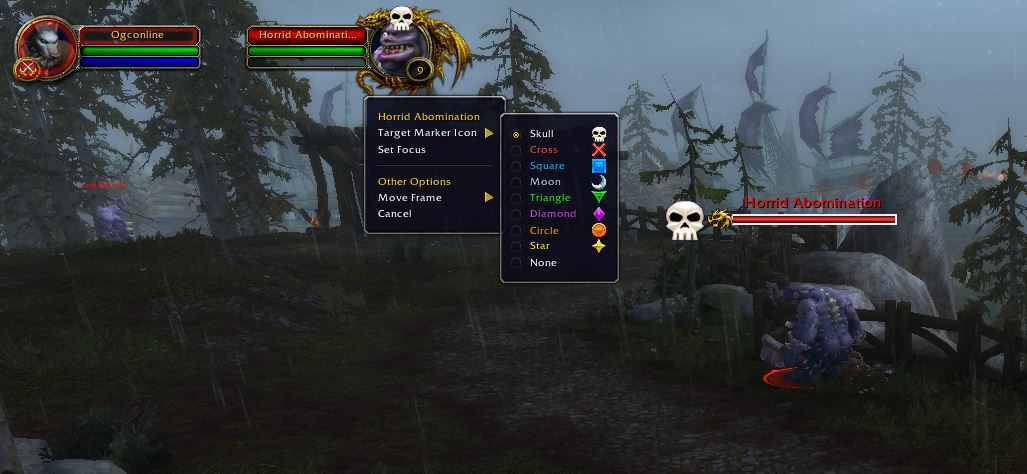
One of the most usful commands in WoW is setting WoW Target Marking. This allows the main Assist to place markers above the targets so your party knows what mobs are coming next.
Target your mob you wish to fight next and “right click” the mobs portrate. Then hover over “TargetMarker text” and select the icon you wish to display to your group. Here i have used a Skull as the next target to fight and you can see a floating skill now over the mob.
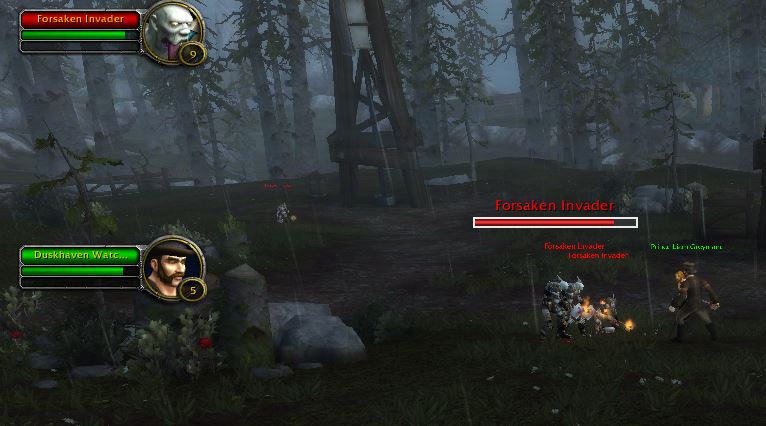
From the targets portrait menu you can also choose to set a focus target. This is very handing as a healer class when you still need to keep track of the Boss Mobs health or its combat stance. This is handing when fighting mobs that frenzy or flurry
Here i have set a friendly mob as a focus target and an additional portrait has apear then i can then “focus” on very easily.
| Command | Action |
|---|---|
| /assist /a | Targets a player's target |
| /clearfocus | Clears current focus |
| /cleartarget | Clears current target |
| /Focus | Sets a focus target |
| /target /tar | Tagret Player or NPC by name |
| /targetenemy | Target hostile NPC by name |
| /targetenemyplayer | Target hostile player by name |
| /targetexact | Target by exact name |
| /targetfriend | Target friendly by name |
| /targetfriendplayer | Target friendly player by name |
| /targetlastenemy | Target the last attackable target you had targeted |
| /targetlastfriend | Target the last friendly target you had targeted |
| /targetlasttarget | Target the last target you had targeted |
| /targetparty | Target a party member by name |
| /targetraid | Target a raid member by name |
A Few classes in WoW use Pets and so need a unique set of commands to control there pet, just like you would control an obedient dog. Some fo the commands work within a /macros but a few dont and can only be make to a Shortcut Hot Key with a single line command. Pet classes will have to experiment to find what works best for them.
| Command | Action |
|---|---|
| /petassist | Pet will assist attcking your target |
| /petattack | Pet will attack your target |
| /petautocastoff | Turns off auto casting spells for caster pets |
| /petautocaston | Turns on auto casting spells for caster pets |
| /petautocasttoggle | Toggles auto casting spells for caster pets |
| /petdefensive | Pet will defend you at all costs |
| /petfollow | Pet will follow you |
| /petmoveto | Pet will move to your targeted location |
| /petpassive | Pet will become passive |
| /petstay | Pet will sit and stay |
If you feel we need to add any additional information or we have incorrectly listed something, please drop a comment